Sunday, July 9, 2017

Mobile Photography Studio: Professional Work with Common Gear

Mobile Photography Studio: Professional Work with Common Gear www.sleeklens.com

We have realised that all the articles we have written linked to our action field, mobile photography, had always started with a real fact; most of the people in the world have access to mobile phones and many of them want to get the greatest benefit they can of those terminal cameras.

The professionalisation of this type of photography nowadays is still a slow process. The half-inch format, as we call it in @fotoensayo, is the most useful camera format, but is also the one that many professionals less use in their work, even being below of some others you could think are being deprecated like the plates.

Beyond the inherent fear that we talked about in the article: the birth of the half-inch format, the reason for this is also the impossibility of migrating the workflow you get with a photographic camera to a mobile phone.
smartphone

We have seen cases of photographers who use their mobiles for doing street photography, author photography and even some graphic reporter. But the studios, and in general, all the types of photography that simply a photo montage (fashion, products, publicity) are the ones who have less explored this kind of support.

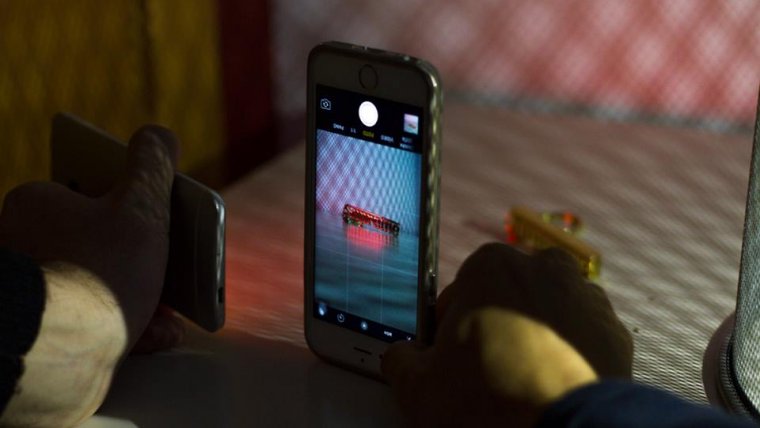
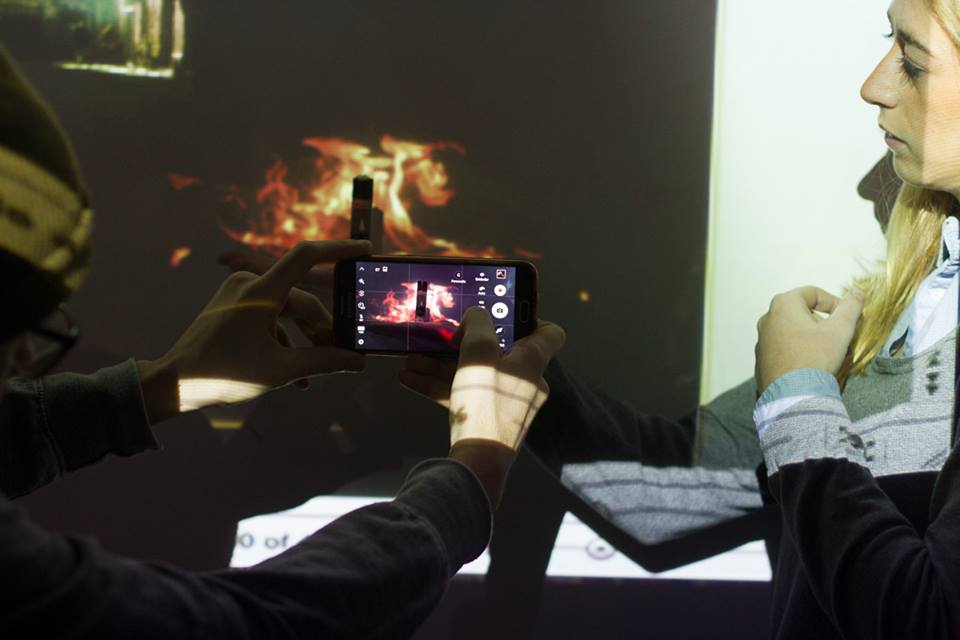
Being that said, we took the task of thinking what would be necessary to create a photo studio, with the intention of using mobile phones in it, and of course, getting satisfactory results.

In the first place you have to consider, that the characteristics for making this kind of space are the same that you think for the mobile phone you will use. You must think that most of the phones can be used in manual mode nowadays so it will function as a photographic camera would, except for the fact of the diminished capacity of noise reduction in high ISOs, a fixed diaphragm and the impossibility of being able to synchronise the flash with the obturation.

Therebefore, we must look after phones which diaphragm values are over 2.0, in this way we will guarantee a considerable light entrance; and if it is possible, look also that the dispositive can take DNG format photos, this will help at the moment of the revealing and finally, it must have a camera application that let you modify the ISO, shutter speed and white balance as minimum. Also, it will be appreciated if you can use focus in the manual mode, as you could find low lights situations that won't let you focus easily in automatic mode.

As for us, we use the LG L5, that has good performance in low light conditions and it also counts with two focal lenses; one of them is angular which makes work much easier in reduced spaces.
smartphone

Now that we have chosen the mobile phone, that, of course, it will always be the one you have in that moment, you can change it as long as it is of your interest, the next thing is the illumination.

The studio idea is that you can guarantee punctual light conditions, this is why we will look light sources that can be useful for this so we will only use continuous lights: As we already know, there are many different light types: tungsten, led, dichroic, in resistance…but the idea is to look after those who warm up as little as possible, having a power over to 100 W (remember that more power, more light intensity and hence less noise in the produced images) and amplitude in the light sources distribution.

About this last consideration, usually it is not taken into account by the photographers but when the light a very small point, it is hard to make it smooth and uniform. So then we recommend that if you are going to use small lights sources, use two with direction variations at least.
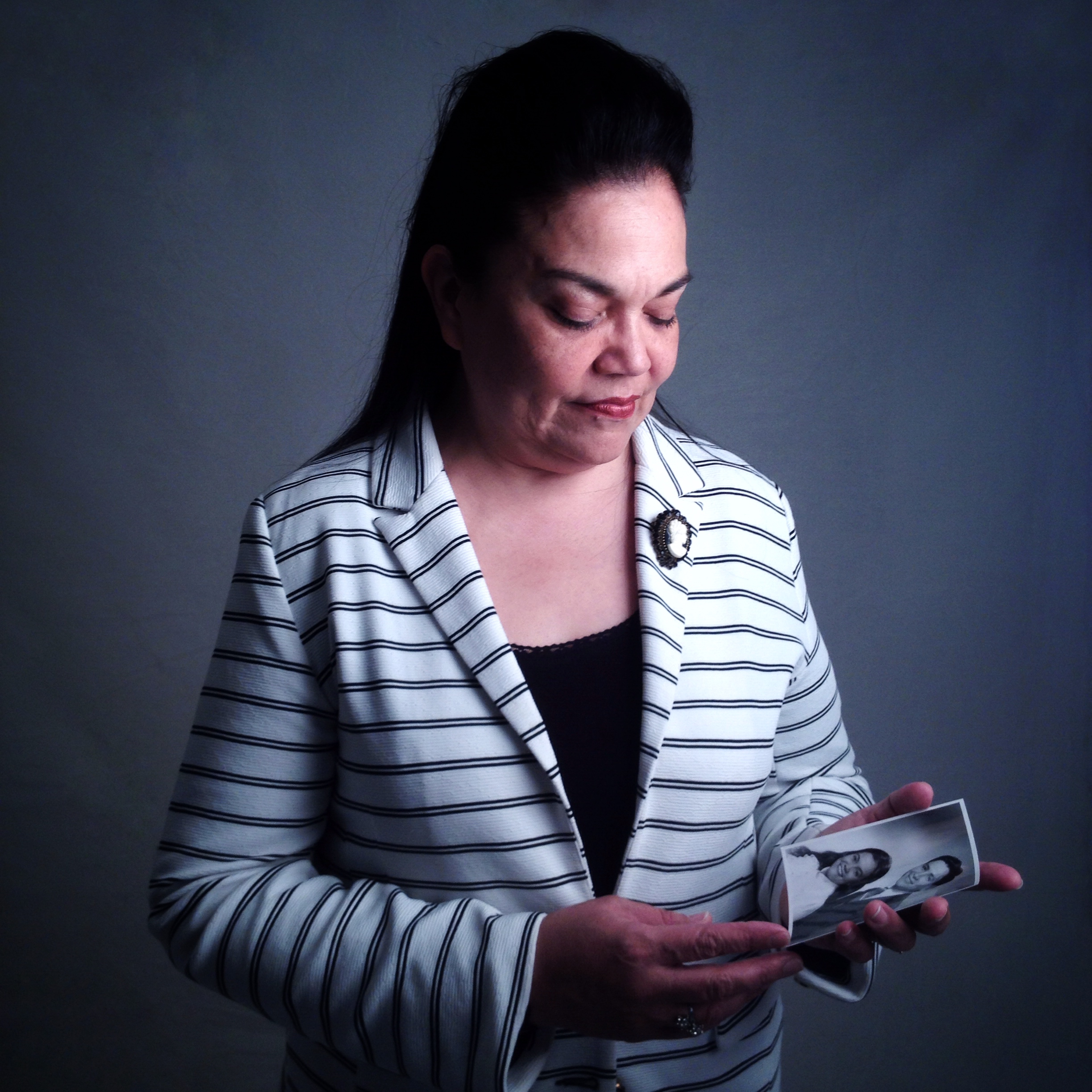
smartphone

You can find several options of lamps, tungsten light bulbs with their respective diffuser and base on the internet for less than 100 euros. Either way, there will always be the possibility of designing your own system according to your specific needs. In the past, we even use tablets and some other mobile phones as light sources for portraits and small scenes with very good results.

A relevant element at the moment of the acquisition of lights will be your diffuser. Mobile phones do not have a very wide dynamic range and the difference between light and shadows zones can be very notable with barely medium zones. There before, for having information about those zones, whenever is required the diffuser is fundamental.

With a couple of these dim lights, your mobile phone and a background of your choice you will have a studio for start making photos.
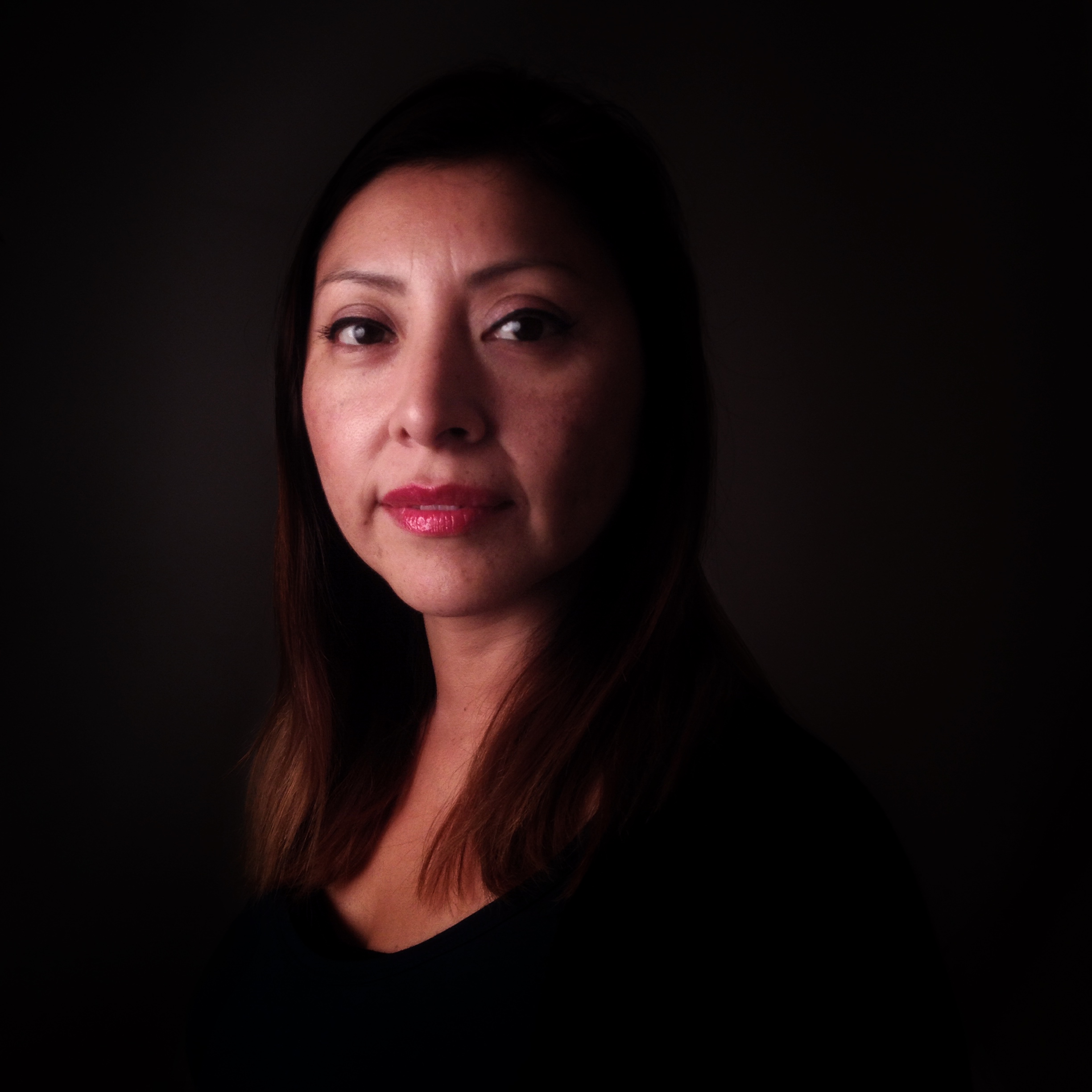
smartphone

After all, it may sound like a lot of work to do, but talking about quality your mobile phone photos will have a more elaborate aesthetics and as for the cost, there is nothing else to say, you will have a studio for a really low cost.

Then you can complement it with some other elements like additional lights, different backgrounds, some clothing, decoration objects, photographic printers for mobiles and anything else.
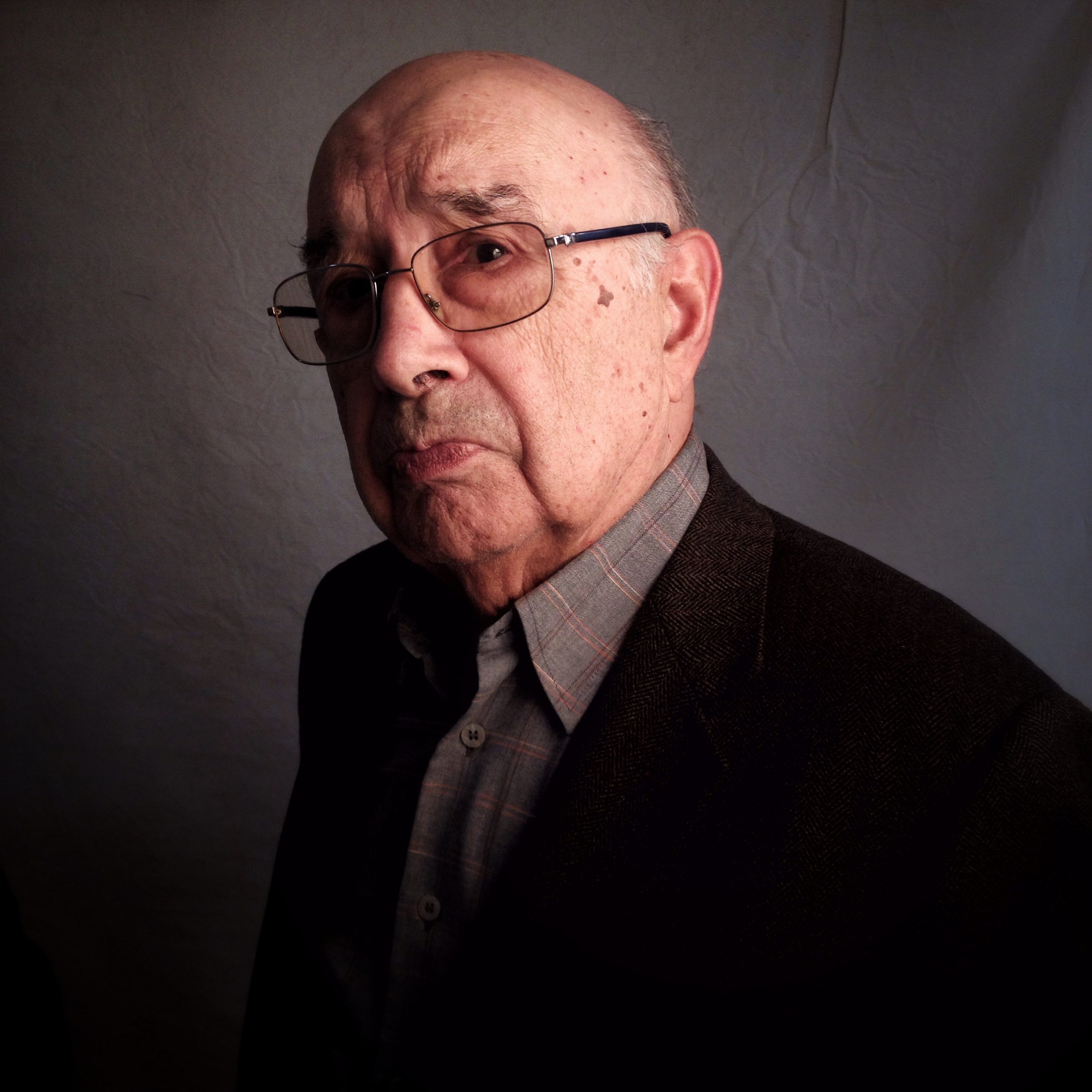
smartphone

Whether you are starting to consider the mobile phones as work tools as a photographer or you are just someone who wants to improve your mobile photos, remember that the base of working with this kind of support is the creativity, so go on building your mobile photography space and make your own images, as for us we will continue #fotoensayando

Rating: 0 based on 0 Ratings

The following two tabs change content below. Foto ensayo is the name given to the proyect of Diego Sanchez, a social communicator and journalist who was born in Marinilla (Colombia) in 1990.

He started his career as a reporter and graphic editor in "Contexto newspaper" and as a freelance photographer in the development of documentary products.

In 2013 he moved his residence to Seville, where studied travel journalism and started his collaboration with magazines like "Mas Viajes" from Spain and "NAO" from Mexico.

In 2015 he started a new stage in Barcelona, where he was part of the documentary Cities for Life, it maked for What's Up Doc and he develop stories for magazines "Viaje con Escalas" and "Enfoque Visual".

During this time his photographs were exhibited in countries like Colombia, Spain, Argentina, Mexico and the United States. Also, he has the opportunity to be part of publishing projects as "La Ruta del Condor", "Maguaré " and "Los viajes de Sancho".

Most popular posts in Jul


Source: Mobile Photography Studio: Professional Work with Common Gear

Saturday, July 8, 2017

Samsung to excite mobile photographers with newest in J series

The newest Samsung Galaxy J7 Pro is set to be released this month of July. Philstar.com/EC Toledo

MANILA, Philippines — Aperture, ISO, shutter speed, exposure and focus. These are the five key elements in cameras that both professional and amateur photographers master to produce good images.

By combining the right ISO with correct shutter speed, they can capture landscapes in low-light conditions. By adjusting the aperture and exposure, they can neutralize harsh lighting. By choosing a focal point, they can highlight an important subject amidst a broad background.

Only photographers who prefer to shoot in manual mode using their bulky and heavy DSLRs are able to do all those. But not anymore.

Today, the possibilities in photography are becoming endless thanks to latest smartphones that now feature manual camera modes. This has given rise to so-called "mobile photography."

Rulers of 'middle' market

In the mid-range smartphone market, several brands are creating a buzz among photography enthusiasts.

You might be familiar with Samsung as a company that has been in the business of pushing the envelope in mobile photography, especially in low-light photography, starting off with its flagship release last year with the Galaxy S7's F/1.7 aperture camera lens.

Lifestyle Feature ( Article MRec ), pagematch: 1, sectionmatch:

A lot of different smartphone brands followed suit in bringing in more to the table to get those great photos. One of them is Oppo, a global smartphone maker with Chinese roots. In May, it has released the Oppo F3 with outstanding cameras. On its rear, its 13-megapixel and F/2.2-aperture lens shoots in Expert Mode with autobalance, shutter speed, ISO, focus and raw settings. Up front, its dual lens enables a wide angle perfect for groufies. 

But while this sounds very promising, Korea's smartphone giant is set to release a contender that will stir up the competition in the Philippines this month. Now, Samsung goes beyond just the flagship line, and is now extending this expertise on mobile photography (especially with to its mid-range line up). 

This is the Galaxy J7 Pro, with its 13-megapixel rear camera carries much larger aperture at F/1.7, which is already equivalent to most DSLR lenses. This is great, because a larger aperture means having the capability to capture more light for your photos.

It also shoots in different modes, namely Auto, Night, Panorama, Continuous, HDR, Sports, Sound & Shot, and of course, Pro—or manual. 

While the rear camera is the main strength for Samsung's newest mid-range smartphone, its selfie camera is still a force to reckon. Its 13-megapixel, F/1.9-aperture lens is almost equivalent to that of the rear in terms of capturing more light. Moreover, it also comes with an LED flash, on top of built in filters. 

Effortless shooting at night

Philstar.com has put both the Oppo F3's and the Galaxy J7 Pro's rear cameras to test and what better way to do it than shooting at night. The Bonifacio Global City in Taguig has served as our picturesque setting with its rising skyscrapers and posh lifestyle hubs.

First up was the Oppo F3, in which we first relied on Expert Mode. Our preferred setting was 800 ISO (max), 1/5-second shutter speed. We also adjusted brightness depending on the lighting with the exposure button. The results are images with sharp contrast between highlights and shadows. 

Then we tested GalaxyJ7 Pro's Night Mode, easily accessible by swiping the screen to the right after launching the camera. Lo and behold, the quality we produced using the Galaxy J7 Pro's auto night setting is at par with the Oppo F3's manual setting. This we attribute to the former's superior F/1.7, which in photography essence, absorbs all available light in the surrounding—be it daytime or nighttime.

The Night Mode thus allows users to shoot pictures effortlessly at night without having to think about the right ISO, exposure, and shutter speed settings. For this, we give Samsung's Galaxy J7 Pro a two thumbs up.

Still at Bonifacio Global City, we also shot in Auto Mode for both smartphones. Without fixing theOppo F3's camera settings, its photos came out darker and unfortunately, paler and grainier. Whereas the Galaxy J7 Pro's images in Auto Mode remained crisper and brighter with warmer tones. 

Other lighting conditions

We then gave both smartphones second tries in two low-lighted settings: an indoor art gallery and a dim office.

In both instances, we experienced the prior issues we had with the Oppo F3's rear camera even if we adjusted its ISO settings from 100 to 400 to 800. This is true in the office photos we produced. Yes, there were changes in brightness but overall quality was dull. 

The Galaxy J7 Pro, on the otherhand, delivered clearer images as proven by the vivid colors of the paintings in the gallery. We also adjusted its ISO from 100 to 400 and 800 in the office. The transformation of the photos convinced not only in brightness but also in color and clarity.

However, we must admit that the Oppo F3 had wider lens for better and bigger angles. We particularly loved this during daytime when light is abundant.

Still, we could not help but notice how the Galaxy J7 Pro's images were higher in resolution resulting to better picture quality—an indicator on how Samsung continues to dominate the mobile arena for years. 

Which is better?

After dissecting both the smartphones' cameras, let's now establish how the Samsung Galaxy J7 Pro is further poised to challenge Oppo F3.

As the latest in Samsung's mid-range Galaxy J series, the Galaxy J7 Pro has some pretty neat upgrades. It now runs on the latest Android 7.0 (Nougat) operating system and on Octacore 1.6GHz processor.

And although released only months from each other, the Galaxy J7 Pro is more advanced already. The Oppo F3's internal specifications include the Android 6.0 (Marshmallow) and an Octacore 1.5GHz processor.

Because it's a powerful smartphone, the Galaxy J7 Pro offers vibrant viewing experience with the Full HD Super AMOLED screen (resolution up to 1920 x 1080 pixels). We watched movies from VOD providers, as well as played mobile games and we loved what we saw in its 5.5-inch display. Also, it's LTE-powered, so browsing and playing will never be interrupted from lags—as long as you have good internet provider.

Aesthetics-wise, the Galaxy J7 Pro comes in a full metal unibody that is smooth to touch. When the screen is off, the Always on Display feature (which used to be an exclusive feature limited to flagship smartphones) shows the time and notifications around the clock.

To further entice mobile photographers, the Galaxy J7 Pro gives them a 3GB ram and 32GB memory, which can be expanded to 256GB with a micro SD card.

More importantly, the Galaxy J7 Pro's 3,600 mAh battery—slightly higher compared to Oppo F3's 3200 mAh battery—will last even after a full day of usage.

We also suggest to maximize Samsung's tried and tested security features like the latest Finger Scanner.

So which is better between the Galaxy J7 Pro and Oppo F3?

It still boils down to the user's perspective. Will you stick to Samsung, which has already gained the trust of millions of people around the globe, or will you try why Oppo is fast gaining a solid foothold in the industry?


Source: Samsung to excite mobile photographers with newest in J series

Friday, July 7, 2017

6 Reasons Why Your Mobile Phone is a Great Photographic Tool

6 Reasons Why Your Mobile Phone is a Great Photographic Tool www.sleeklens.com

As a specialist brand in the mobile phone use as professional photographic work tools, one of the most frequent questions that we get in our conferences and presentations is: why should we use this kind of dispositive and not others?

Excluding discussion, in which in a derisory from the idea of some supports being better than others can be defended, we have raised the idea that any support that allows translating the light (including not so frequent tools as scanners, photocopiers, etc) can be great for the photographic register.

Therebefore, we have listed 10 main reasons that have made the mobile phone great photographic tools, leaving aside the typical "..because is a camera you always carry on with you"

#1 – Low cost

On the contrary of the photography tools in the current market, mobile phones have quite affordable prices. Additionally, the fact of being day-to-day tools means that usually we already have some other mobile terminal in our homes.

But the low-cost issue is not just about the dispositive price, one of the things that imply more expenses for the photographers, is the equipment maintenance. Nowadays, a camera sensor cleaning can cost between 30 and 70 euro, besides the permanent wear of it. In the case of mobile phones, there are almost null maintenance costs, so the budget delivered to the client diminished, at least in this aspect.

iphone

#2 – You cannot be told that your work depends on the used equipment

Although it sounds as a joke and it is an underestimate idea, as time has passed, there are still a lot of people who think that a photographer's job depends on his camera. The equivalence of more lens is equal to better quality, does not applies to mobile phones. Some considered this as a disadvantage but in sales terms, showing that you can make creative images with a standard terminal, gives you an idea of the photographers capacity, and consequently, of their job.

#3 – Get in touch with the people

Truth to be said is that mobile phones have become so common that is natural to the eye among the people. Unlike a photographic camera, that it always be a pretty invasive tool; the mobile phone goes generally unnoticed. In consequence, the naturalness of the registered scene and a closer contact with the photographed person are visible.

Until recent times, quality was one of the most debated issues, referring to the use of mobile phones as professional tools. But with the dispositive camera systems advances, this is something from the past. Of course that if your intention is exposing your work with considerably extensions, it will be better to work with a camera that has a bigger sensor than the half-inched one. Often, photographers' work is printed in standard size magazine or web pages, so mobile phone gives the necessary conditions for an optimal visualisation in this cases.

phone

Furthermore, talking about extensions, having a little creativity and using several photos for their posterior union in a post-processed tool, you can get considerable sizes of extension. Take this just as an additional tip.

#4 – Web environment connectivity

This is, maybe, one of the essential characteristics of mobile phones and also what makes mobile photography different of any other photographic area. Is not just about the possibility of sharing real time produced images but, and even more important, this supports are provided with different services based on this characteristic.

Clearly, using marketing language, photography has become a red ocean full of competitively, low prices and each time more sporadic professionalisation process. In this case, mobile photography allows us to find blue oceans for taking advantages of the connectivity characteristic and offer different photographic services.

#5 – Attainment of new talents, the brand's interest

Commercially, photography has been attached in few brands that sell their equipment leaving the consumer with a very thick choice margin this has made that, speaking of contact and possible alliances, for some photographers the access to this brands become very difficult. On the other hand, mobile phones brands are a rising boom, in this sense, many of them provide mobile phones in a permanently way for testing, generating agreements and in most cases, developing new photographic systems in a no longer 6 months period. As a result, talking again about equipment, and also of the bases of direct contact with the interested brands, this brings an infinite number of options to photographer's access.

phone

#6 – Photographic process

Here, in Foto Ensayo, we won't stop remembering that the consecution process of the photos is one of the most important elements of making them. As photographers, at this point is where we nourished, learned and became better persons. In the mobile phone case, the fixed focal distance implies to be creative, allowing the permanent search of shapes, colours and frames in the photography process that will help in the technical and narrative development of our images.

On the whole, these are some reasons of why we started to develop a workflow in which you could use mobile phones as tools for the photographic register. So, now: who else is willing to take the challenge of using mobile phones as a photographic tool? Waiting for your comments, we will continue #fotoensayando.

Rating: 0 based on 0 Ratings

The following two tabs change content below.

Pia Lopez is a self-taught photographer, architecture student and ArchViz artist. As Editor in Chief of Sleeklens.com, technology and art are two of her passions, which take active part in her professional training. Being an authentic Montevidean, travelling is daily routine; enjoying both the green meadows and urban surroundings as well as the beautiful beaches that are so characteristic in Uruguay's landscape.

Most popular posts in Jul


Source: 6 Reasons Why Your Mobile Phone is a Great Photographic Tool

Wednesday, July 5, 2017

AR Photography Apps

'Lumyer' is the name of a mobile photography app that sets itself apart by offering augmented reality effects to bring photos to life like never before. With the app, users are able to add more than 100 special effects to photos, including broken glass, party confetti and floating balloons.

When it comes to sharing 'Lumys' with the app, users are able to export their creations as Live Photo or GIF formats that can be posted to different social networks and chat messenger apps.

As well as offering a number of living photo filters, the app also provides special effects for selfies and face filters to help users make unique profile photos to express themselves online.


Source: AR Photography Apps

Tuesday, July 4, 2017

‘Brought to Light’ – Mobile Photography / Art Interview with Lisa Mitchell from England, UK

Our 'Brought to Light' interview section explores the mobile photographers and mobile artists behind their art. Each question has been carefully crafted and is designed to allow us to get to know them a little more intimately. To view others that we have published in this series, please go here.

Today, we are featuring Lisa Mitchell, from England, United Kingdom. Mitchell has experience as a photographer, dating back to childhood when she first picked up a camera as a creative and visionary ten year old.  This series of images, particularly the self portraiture elude meaning and atmosphere in an intimate and personal way. Meticulously edited, these portraits evoke Michell's soul, arousing a virtue of her rectitude. Her character almost feels marooned in her own thoughts, the images are so visceral, committed, altruistic and driven. There's a tension that exists in these images between the compassionate and ingenuous that draw us in. There is something else at work here: it's not just the illuminating juxtapositions that draw our eye to a certain kind of epical detail, suggesting the bigger picture, what's clearly apparent, is that Mitchell is a gifted individual pursing her own creative journey in a singular and surprising way.

To view more of her work, please go here.

This body of work drew us to Lisa Mitchell…

All photos ©Lisa Mitchell

Describe a moment that changed your life

Life has been a rollercoaster ride so far culminating in many life changing moments, not all of which I would hasten to repeat.

Becoming a mother is obviously on my top ten list. Having children is the most amazing and terrifying journey you will ever endeavour to take. I have learnt so much about myself by becoming a mother.

Most of my happiest memories involve my artwork. Being accepted into University was one of those moments. I still remember vividly being at work one Saturday when my mother appeared with a letter. Time stood still when I opened that envelope. A new dawn was awaiting!

Describe a childhood photographic/art memory

Being bought my first camera, a Kodak Ektra 200, with a 110 film.

Ahh the smell when the flash bulb went off!

I always loved Photography, but maybe earlier on in life more on a subconscious level. I used to love photographing the family and pets…..of course you had to be more careful then as you were limited to how many pictures you could take. A 36 exposure film seemed to take an eternity to fill, now today I can take hundreds in a day!

Describe your mobile studio

My mobile studio is basically my Iphone. I sometimes work on my iPad, occasionally use a selfie stick or Olloclip lens or two, but 9/10 it is always my iPhone. I love the immediacy of carrying a camera with me at all times and being able to capture whatever, whenever, of being to edit on the hop instead of having to wait to get home and download everything onto the laptop first.

What do you like to think about whilst you are creating images

I'm not sure I consciously think of anything. I don't always have a concept or preconceived idea, I just go with the flow. Work often evolves subconsciously and in a surprising way. I like to shoot a range of objects and places and often layer them together to make a finalised image. My textile background is always prevalent.

Share one photo tip

Don't think, just shoot! Let the creativity flow, and don't get too bogged down with the logistics of it all or worrying about the finished piece. I love to edit my images and often quite heavily. The first shot is just the start of the process. The journey to the finished image….now that's where the magic starts!

Who or what ignited your passion for mobile photography

I had always taken lots of photographs, I was always the one in the family, or with freinds that recorded every event with my camera, but my transition into mobile photography came about through a friend. I like everyone by then had a mobile (Android ) phone with a camera, but I was not using it to it's full capacity. My friend told me of a local group of mobile photographers (among them Paul Brown) who were exhibiting in the area, and so I went along to see the exhibition, and I was blown away, and especially by Paul's work. I never realised that mobile photography could be so diverse. Paul and I became friends and through him I discovered EyeEm and Instagram and a whole new community of amazing mobile photographers, many of whom are now good friends. I also began experimenting with new apps to create work, using mostly Snapseed and Vignette with my Android phone. When I finally purchased my first Iphone, I was excited by the amount of creative apps with which I could create and further push the boundaries within my images.

What is the most unusual subject you have photographed

Most of my work is not the run of the mill portrait or landscape, it is often emotive and autobiographical, and some say has a darkness about it. I am not afraid to bare my soul. I also love photographing objects and places with a history…the abandoned building, the discarded shoe, the lost doll.

What are your favourite accessories for mobile photography

My favourite accessories have to be my long list of apps. The possibilities are endless these days, but I still have my favourites, which are Snapseed, Pixlr, 645 Pro, Blackie, Hipstamatic, Formulas, Tintype and Distressed FX.

Describe your dream Photography assignment

I'm not sure I have one, other than to travel more and photograph new places and people. I get bored very easily, and so need to be constantly stimulated and adrenalin feed to keep me happy. That said, I wouldn't say no to a photo shoot with Vivienne Westwood….I love that lady!

What does Mobile Photography /Art mean to you?

It is the freedom of possibilities. To be able to capture and create anywhere. I am totally in love with it and the people I have met through it.

Contact Details

Flickr

Facebook

Twitter

While you're here…

….we have a small favour to ask. More people than ever are reading TheAppWhisperer.com and we could not be more excited about that. We bring you ad-free journalism every day, so you don't have to close windows and be distracted with advertisements. We specialise in mobile photography and mobile art and we value all of our readers, writers, contributors and viewers but we do have costs and we do need to ask for your help. We at TheAppWhisperer spend many hours each day, each week and each month to bring you this high quality level of journalism. We do it because we are passionate about it and because we want others to be as passionate too.

If everyone who reads our website, who likes it, helps to support it, our future would be so much more secure. Please help us by offering a contribution or supporting us with a monthly donation of your choosing. Please will you help us?

Tweet Kindle More Popular In US Than iPad and iPhone Mobile Photography/Art – Pic of the Day (90) – via... ProCamera – Temporary Price Drop Deco Sketch – iOS Photography App – Te... Olloclip – Tutorial And More Excellent Tips ... Exclusive Interview With Color Eyes – iPhone... Wood Camera – Vintage Photo Editor – T... Mobile Photography – The Software behind the...
Source: 'Brought to Light' – Mobile Photography / Art Interview with Lisa Mitchell from England, UK

Monday, July 3, 2017

Watch Photography 101: Part 2 – Depth of Field, Exposure, and Staging the Shot

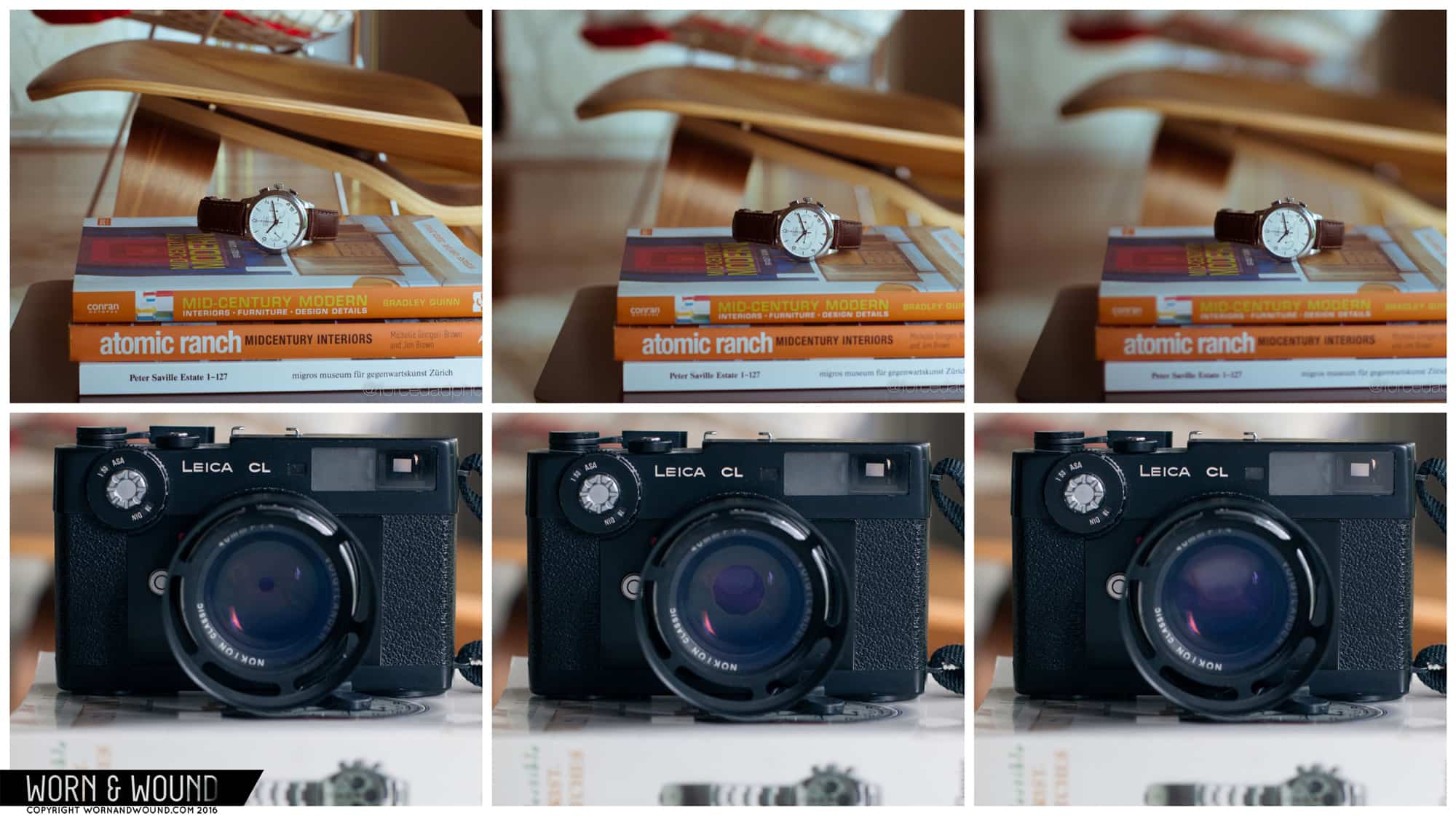
Look at the photo below to see how f-stop impacts depth of field. From left to right, the f-stops are f/8, f/3.2, and f/1.4. At f/8, you can see that the opening is very small, and the resulting photo has a deeper depth of field with more of the background in focus. At f/1.4, the lens is wide open. Here the depth of field is much more shallow, with most of the background blurred.

One thing worth noting: as you go wider (again, a smaller f-stop number), you might encounter issues such as distortion, vignetting, and loss of detail sharpness.

There are a few other factors you should consider when playing with depth of field and focus. The first is subject-to-camera distance. If a subject is closer to the camera, you will get a more shallow depth of field. The second is the focal length of the lens itself. For example, a longer lens like a 200mm prime will achieve a shallower depth of field than a lens that is 50mm. And third, you have to consider the camera itself–or rather its sensor if you're shooting digital. Larger sensors are capable of achieving a much more shallow depth of field. For example, a f/2.0 setting on a small point-and-shoot or smartphone will not create as much background blur as a DSLR with a larger sensor will at f/2.8, despite the lower f-stop on the point-and-shoot.

Being able to manipulate depth of field is in such high-demand that smartphone companies have developed optical wizardry and software tweaks to simulate what is traditionally done through the lens. Admittedly, these high-tech gimmicks are very hit or miss, but I recommend playing with them if they're a feature on your phone or whatever camera app you use.

Save

Save


Source: Watch Photography 101: Part 2 – Depth of Field, Exposure, and Staging the Shot

Sunday, July 2, 2017

‘Brought to Light’ – Mobile Photography / Art Interview with Lisa Mitchell from England, UK

Our 'Brought to Light' interview section explores the mobile photographers and mobile artists behind their art. Each question has been carefully crafted and is designed to allow us to get to know them a little more intimately. To view others that we have published in this series, please go here.

Today, we are featuring Lisa Mitchell, from England, United Kingdom. Mitchell has experience as a photographer, dating back to childhood when she first picked up a camera as a creative and visionary ten year old.  This series of images, particularly the self portraiture elude meaning and atmosphere in an intimate and personal way. Meticulously edited, these portraits evoke Michell's soul, arousing a virtue of her rectitude. Her character almost feels marooned in her own thoughts, the images are so visceral, committed, altruistic and driven. There's a tension that exists in these images between the compassionate and ingenuous that draw us in. There is something else at work here: it's not just the illuminating juxtapositions that draw our eye to a certain kind of epical detail, suggesting the bigger picture, what's clearly apparent, is that Mitchell is a gifted individual pursing her own creative journey in a singular and surprising way.

To view more of her work, please go here.

This body of work drew us to Lisa Mitchell…

All photos ©Lisa Mitchell

Describe a moment that changed your life

Life has been a rollercoaster ride so far culminating in many life changing moments, not all of which I would hasten to repeat.

Becoming a mother is obviously on my top ten list. Having children is the most amazing and terrifying journey you will ever endeavour to take. I have learnt so much about myself by becoming a mother.

Most of my happiest memories involve my artwork. Being accepted into University was one of those moments. I still remember vividly being at work one Saturday when my mother appeared with a letter. Time stood still when I opened that envelope. A new dawn was awaiting!

Describe a childhood photographic/art memory

Being bought my first camera, a Kodak Ektra 200, with a 110 film.

Ahh the smell when the flash bulb went off!

I always loved Photography, but maybe earlier on in life more on a subconscious level. I used to love photographing the family and pets…..of course you had to be more careful then as you were limited to how many pictures you could take. A 36 exposure film seemed to take an eternity to fill, now today I can take hundreds in a day!

Describe your mobile studio

My mobile studio is basically my Iphone. I sometimes work on my iPad, occasionally use a selfie stick or Olloclip lens or two, but 9/10 it is always my iPhone. I love the immediacy of carrying a camera with me at all times and being able to capture whatever, whenever, of being to edit on the hop instead of having to wait to get home and download everything onto the laptop first.

What do you like to think about whilst you are creating images

I'm not sure I consciously think of anything. I don't always have a concept or preconceived idea, I just go with the flow. Work often evolves subconsciously and in a surprising way. I like to shoot a range of objects and places and often layer them together to make a finalised image. My textile background is always prevalent.

Share one photo tip

Don't think, just shoot! Let the creativity flow, and don't get too bogged down with the logistics of it all or worrying about the finished piece. I love to edit my images and often quite heavily. The first shot is just the start of the process. The journey to the finished image….now that's where the magic starts!

Who or what ignited your passion for mobile photography

I had always taken lots of photographs, I was always the one in the family, or with freinds that recorded every event with my camera, but my transition into mobile photography came about through a friend. I like everyone by then had a mobile (Android ) phone with a camera, but I was not using it to it's full capacity. My friend told me of a local group of mobile photographers (among them Paul Brown) who were exhibiting in the area, and so I went along to see the exhibition, and I was blown away, and especially by Paul's work. I never realised that mobile photography could be so diverse. Paul and I became friends and through him I discovered EyeEm and Instagram and a whole new community of amazing mobile photographers, many of whom are now good friends. I also began experimenting with new apps to create work, using mostly Snapseed and Vignette with my Android phone. When I finally purchased my first Iphone, I was excited by the amount of creative apps with which I could create and further push the boundaries within my images.

What is the most unusual subject you have photographed

Most of my work is not the run of the mill portrait or landscape, it is often emotive and autobiographical, and some say has a darkness about it. I am not afraid to bare my soul. I also love photographing objects and places with a history…the abandoned building, the discarded shoe, the lost doll.

What are your favourite accessories for mobile photography

My favourite accessories have to be my long list of apps. The possibilities are endless these days, but I still have my favourites, which are Snapseed, Pixlr, 645 Pro, Blackie, Hipstamatic, Formulas, Tintype and Distressed FX.

Describe your dream Photography assignment

I'm not sure I have one, other than to travel more and photograph new places and people. I get bored very easily, and so need to be constantly stimulated and adrenalin feed to keep me happy. That said, I wouldn't say no to a photo shoot with Vivienne Westwood….I love that lady!

What does Mobile Photography /Art mean to you?

It is the freedom of possibilities. To be able to capture and create anywhere. I am totally in love with it and the people I have met through it.

Contact Details

Flickr

Facebook

Twitter

While you're here…

….we have a small favour to ask. More people than ever are reading TheAppWhisperer.com and we could not be more excited about that. We bring you ad-free journalism every day, so you don't have to close windows and be distracted with advertisements. We specialise in mobile photography and mobile art and we value all of our readers, writers, contributors and viewers but we do have costs and we do need to ask for your help. We at TheAppWhisperer spend many hours each day, each week and each month to bring you this high quality level of journalism. We do it because we are passionate about it and because we want others to be as passionate too.

If everyone who reads our website, who likes it, helps to support it, our future would be so much more secure. Please help us by offering a contribution or supporting us with a monthly donation of your choosing. Please will you help us?

Tweet Filterstorm – Updated and Temporary Price Dr... dpreview Features Jennifer Bracewell's Portr... APPart – Mobile Art – Pantone Color of the Day – '... A Day In The Life Of Cara Gallardo Weil – A ... The Apps Nerds Workshop – Let's Talk A... PictureBook – The Hunger of Patience –... iPhone 4S Vs Canon 5D MKII Video Comparison Mobile Photography / Art Tutorial – Alien Sk...
Source: 'Brought to Light' – Mobile Photography / Art Interview with Lisa Mitchell from England, UK