Saturday, July 15, 2017

Mobile Photography/Art Pic of the Day (601) via Instagram

Here's day six hundred and one of our mobile photography/art Pic of the Day section via Instagram. Each day we will be selecting one image a day for our Pic of the Day section on Instagram with this hashtag – #theappwhisperer.

To ensure your image receives our attention, please upload it to Instagram with this hashtag – #theappwhisperer

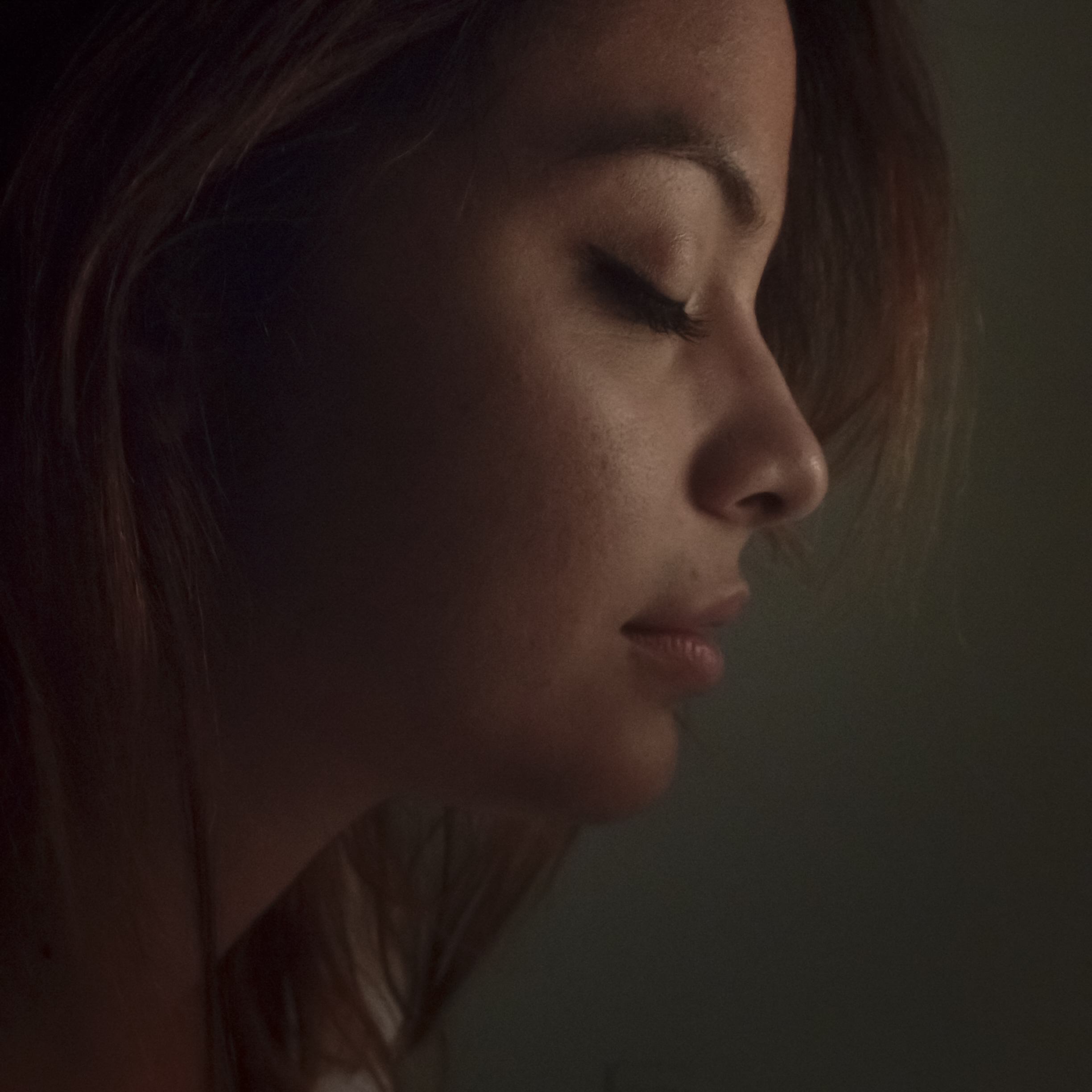
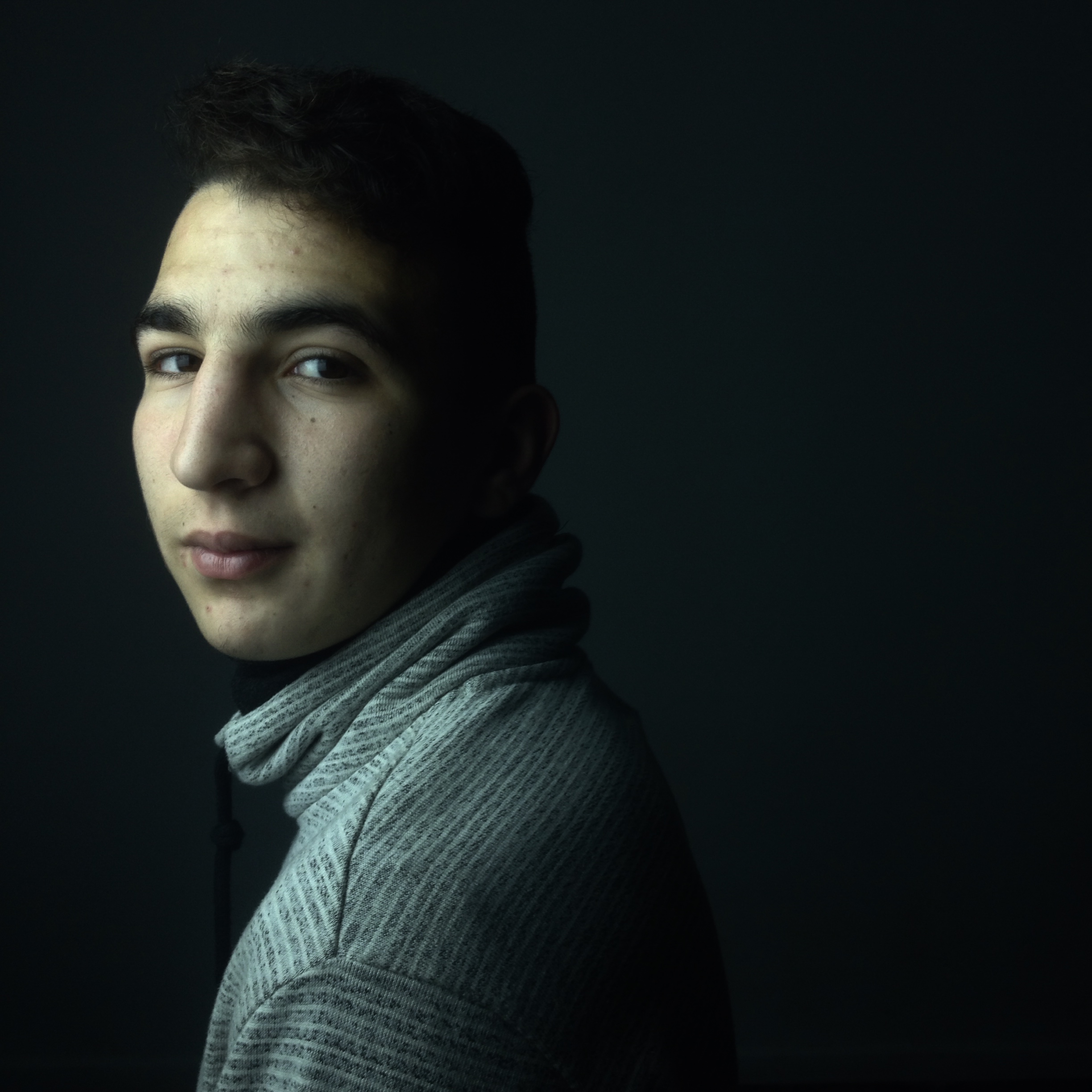
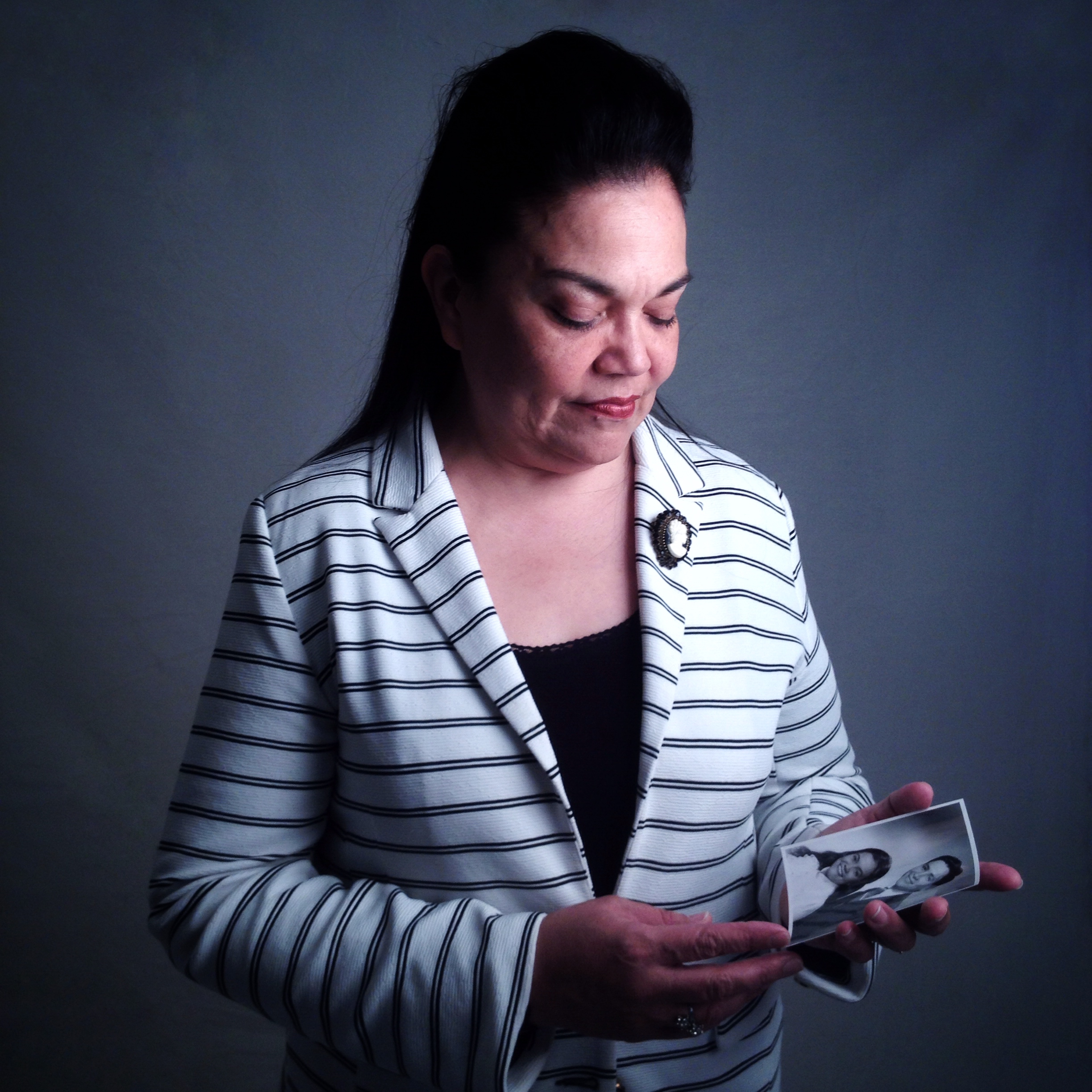
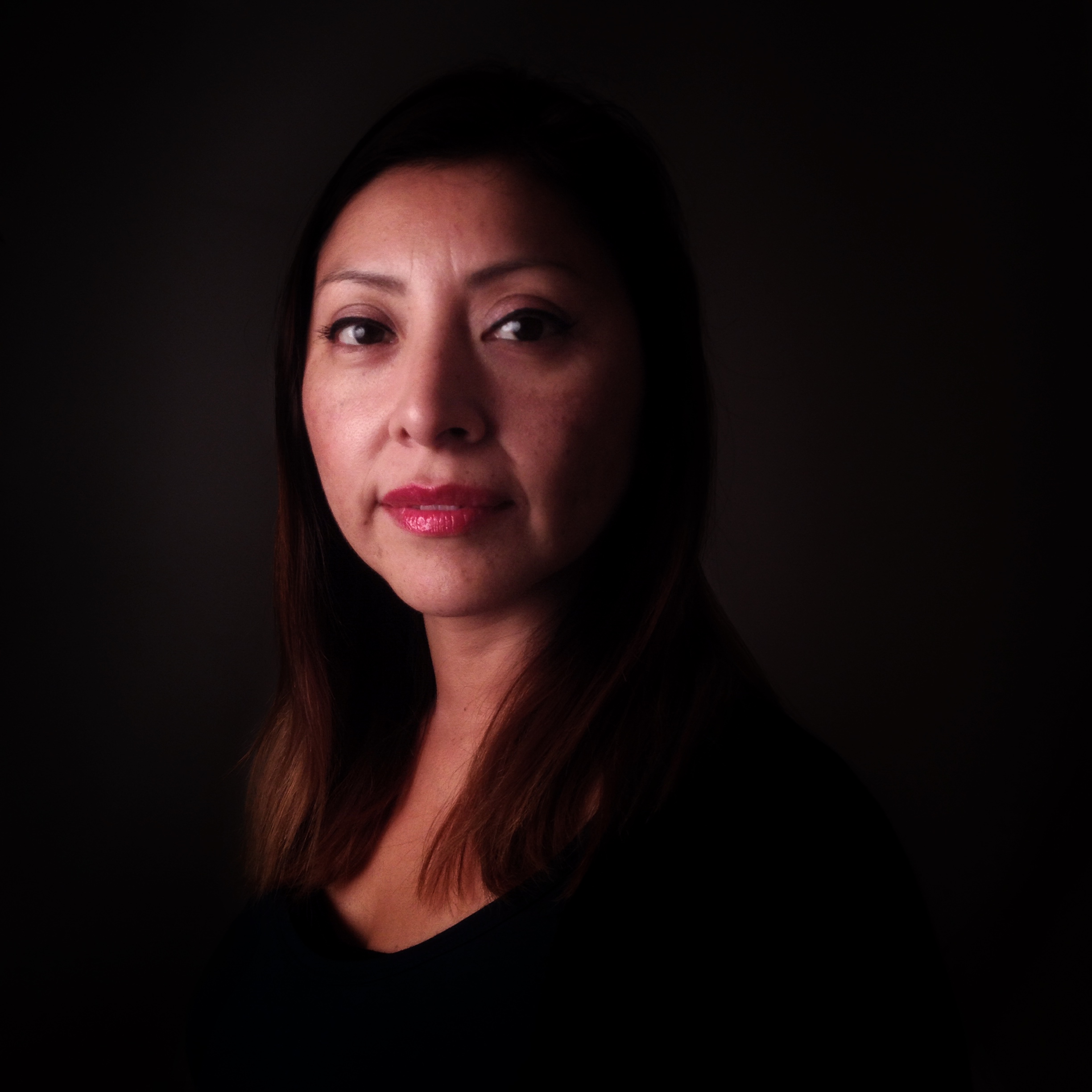
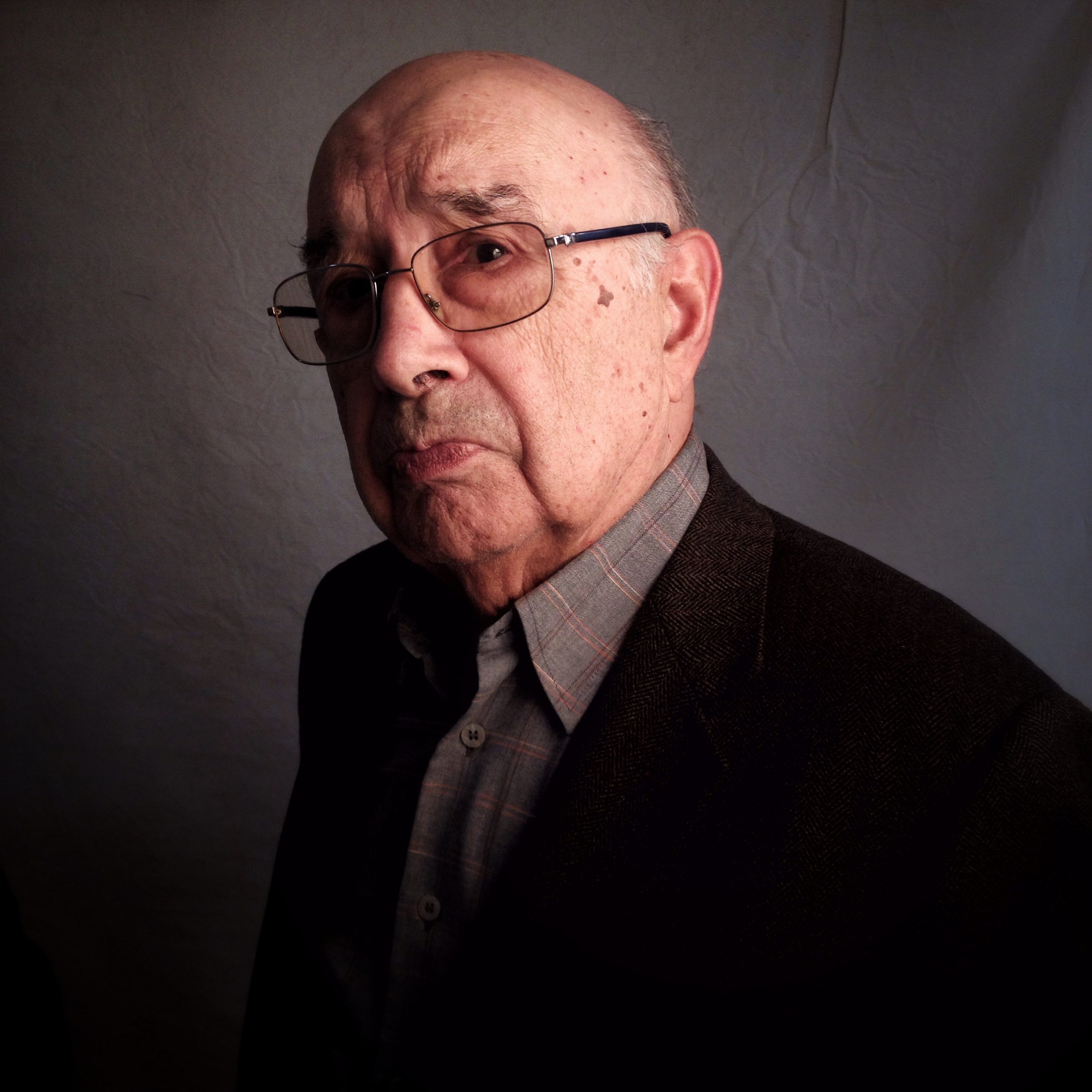
Today, we congratulate @imaco57 – Isabel Afonso, with this breathtaking image.

Please view more of her images here.

[Please visit our Artist Directory and find out how we can add you too!]

While you're here…

….we have a small favour to ask. More people than ever are reading TheAppWhisperer.com and we could not be more excited about that. We bring you ad-free journalism every day, so you don't have to close windows and be distracted with advertisements. We specialise in mobile photography and mobile art and we value all of our readers, writers, contributors and viewers but we do have costs and we do need to ask for your help. We at TheAppWhisperer spend many hours each day, each week and each month to bring you this high quality level of journalism. We do it because we are passionate about it and because we want others to be as passionate too.

If everyone who reads our website, who likes it, helps to support it, our future would be so much more secure. Please help us by offering a contribution or supporting us with a monthly donation of your choosing. Please will you help us?

Tweet Mobile Photography – A Picture's Worth... Blux Camera – Temporarily Reduced Latest Vogue Column Article Published, by Joanne C... The App Nerds Workshop – Let's Talk Ab... Creative iOS Photography App Tutorial – Anot... Part – Temporarily Free Mobile Photography/Art – Pic of the Day (239) – vi... Mobile Photography/Art – Pic of the Day (289) – vi...
Source: Mobile Photography/Art Pic of the Day (601) via Instagram

Friday, July 14, 2017

Mobile Photography – TrueView Interview “How has TheAppWhisperer helped with Mobile Photography and Art?” with Lynette Sheppard from Hawaii, USA

Our TrueView Interview section is an area where we ask one singular question, to mobile photographers and artists and it is captured to video. This time, we asked highly accomplished Mobile Photographer and Artist, Lynette Sheppard from Hawaii, United States, "How has TheAppWhisperer helped you with Mobile Photography and Art?".

Many artists are working on their videos right now and each video is as unique and individual as each artist. We are fully conscious and respectful that you are all capturing a part of yourself and sharing it with us and we love it.  Thank you.

Thank you for being a reader and viewer of our wonderful site. If you would like to view our previous TrueView Interviews, please go here.

While you're here…

….we have a small favour to ask. More people than ever are reading TheAppWhisperer.com and we could not be more excited about that. We bring you ad-free journalism every day, so you don't have to close windows and be distracted with advertisements. We specialise in mobile photography and mobile art and we value all of our readers, writers, contributors and viewers but we do have costs and we do need to ask for your help. We at TheAppWhisperer spend many hours each day, each week and each month to bring you this high quality level of journalism. We do it because we are passionate about it and because we want others to be as passionate too.

If everyone who reads our website, who likes it, helps to support it, our future would be so much more secure. Please help us by offering a contribution or supporting us with a monthly donation of your choosing.

Tweet Mobile Photography/Art – Pic of the Day (219) – vi... 'One Day Odyssey' Mobile Photography &... A Day In The Life Of Ale Di Gangi – A Very E... iPhone 5 Pre-Orders To Start On September 12, 2012 'Brought To Light' – Mobile Phot... TrueView Interview – Mobile Photography and Art – ... TheAppWhisperer COVR Shooters – Winning Shot of th... Sony Xperia Z2, Xperia Z2 Tablet, Xperia M2, Smart...
Source: Mobile Photography – TrueView Interview "How has TheAppWhisperer helped with Mobile Photography and Art?" with Lynette Sheppard from Hawaii, USA

Thursday, July 13, 2017

Mobile Photography/Art Pic of the Day (598) via Instagram

Here's day five hundred and ninety eight of our mobile photography/art Pic of the Day section via Instagram. Each day we will be selecting one image a day for our Pic of the Day section on Instagram with this hashtag – #theappwhisperer.

To ensure your image receives our attention, please upload it to Instagram with this hashtag – #theappwhisperer

Today, we congratulate @lettsflair – Letti, with this breathtaking image entitled "Garden Mist".

Please view more of her images here.

[Please visit our Artist Directory and find out how we can add you too!]

While you're here…

….we have a small favour to ask. More people than ever are reading TheAppWhisperer.com and we could not be more excited about that. We bring you ad-free journalism every day, so you don't have to close windows and be distracted with advertisements. We specialise in mobile photography and mobile art and we value all of our readers, writers, contributors and viewers but we do have costs and we do need to ask for your help. We at TheAppWhisperer spend many hours each day, each week and each month to bring you this high quality level of journalism. We do it because we are passionate about it and because we want others to be as passionate too.

If everyone who reads our website, who likes it, helps to support it, our future would be so much more secure. Please help us by offering a contribution or supporting us with a monthly donation of your choosing.

Tweet A Picture's Worth With Karen Divine Space Chimp Media Selected as Marketing Agency of ... American Aperture Awards – Last Day For Entr... A 'Tasty Apple' wins Pink Lady® Food Photographer ... Pic of the Day (33) – Instagram – TheAppWhisperer... Pixelmator Updated with El Capitan Support and a N... 'Impossible' Interview with Jacob Spri...
Source: Mobile Photography/Art Pic of the Day (598) via Instagram

Monday, July 10, 2017

My Sprinter Mobile Photography Adventure Van Project

Background... I adore my Porsche Cayenne Turbo which I bought used at 26K miles on the cheap when no one wanted them back in 2009, driving it from Colorado to California. It is now over 10 years old, and has served me well for 8 years, excepting the security/ignition system failures that are all now repaired (all 3 modules involved), running great.

But what concerns me is being miles down a dirt road—while all the involved parts are now finally replaced, it took four strandings to get there. Probably it will run fine for a long time now, but no way to be sure—not a big deal on the highway, but a very big deal 20 miles down a dirt road.

I've slept in the Cayenne probably 300 times for better comfort than a tent, and saving a bundle on motels/hotels. There is really nothing like it on the market in design or function and build quality and might never be again (I refer only to thes 2004-2010 models), IMO, and I've looked at everything. And now that I've sunk all the repair costs, it will probably run a long long time (purrs great). It is incredible—shrugs off 10,000' elevation at 10% grade due to the turbos.

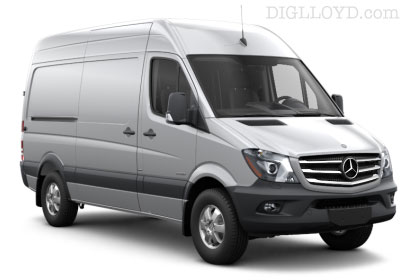
Mercedes Sprinter cargo van(without side/rear windows)

But... the Cayenne Turbo pepper is now for sale (106K) miles. That's because I've decided to get a Mercedes Sprinter 2500 4x4 HiTop van, what I call a mobile photography adventure van.

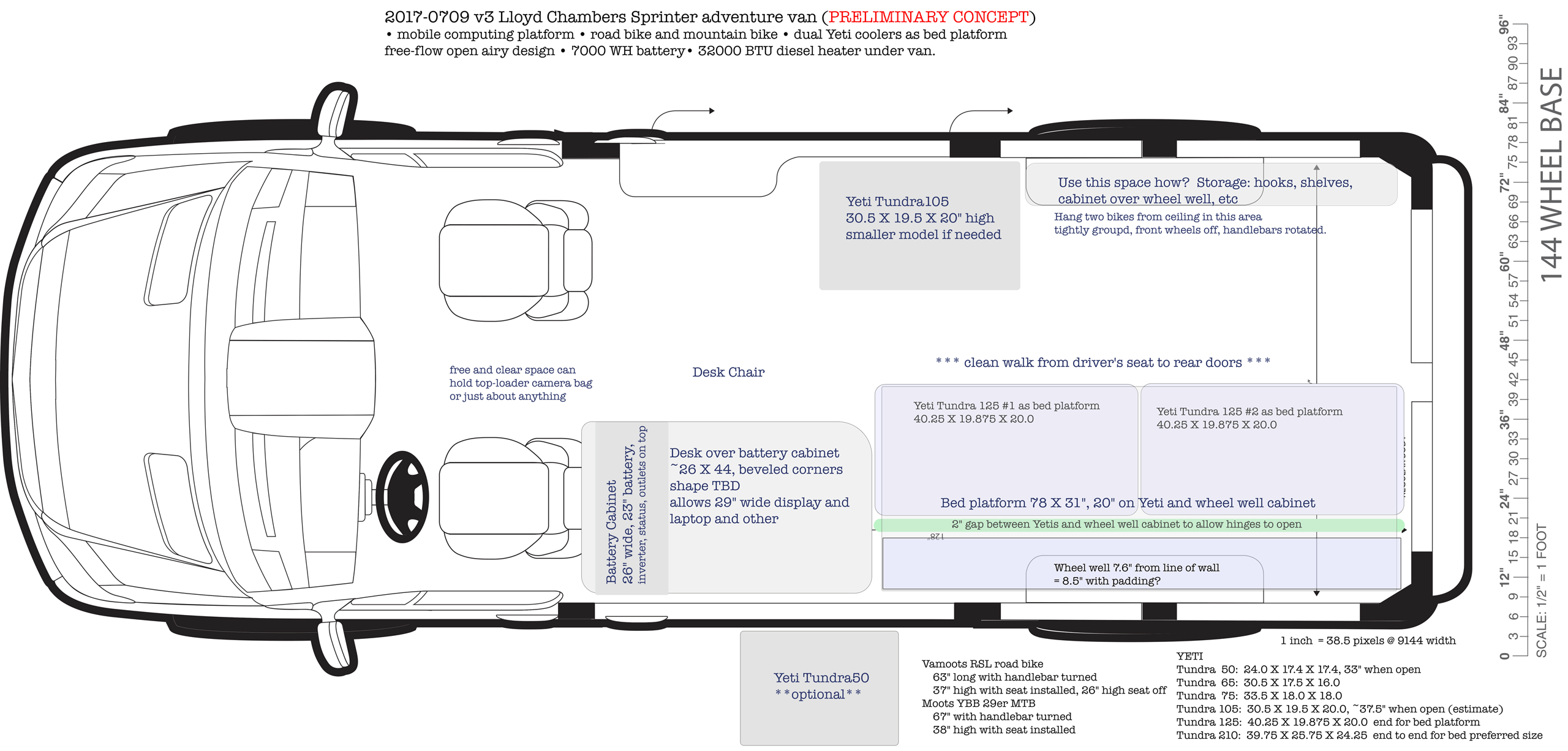
My key goal is to be able to work as efficiently in the van up high in the mountains as I can at home. That means a computer desk with my wide gamut workhorse NEC PA302W 30" display, driven by an Apple iMac or Apple Mac Pro, with battery power sufficient for two days (solar is a non solution for this kind of primary power). Along with OWC peripherals for storage and more.

Storm Light Illuminates the Pepper

I've put considerable thought and effort into planning out this project, some of which is captured in my Sprinter van area. I felt it important to be sure that I could travel down a long dirt road and be sure I'd be able to drive out—no way to know that with the Cayenne, though it has been running perfectly.

Early on, I found that I did not want a canned solution. Most "solutions" I've seen are camper vans built on the premise that it has to be just like home—well that's not for me. The generic builds offer poor value or anti-value for me and/or are overwrought on costly add-ons.

My needs are specific and unusual, my budget is tight (which is why I must sell the Cayenne, regrettably and still get a loan). The payback is productivity in the field (that bad light middle of the daytime for starters), as well as greater comfort and much more space. Basically I can work like at home without having to make a 500 mile round trip to do so. Another 4 or 5 mpg and longer range is a nice bonus too.

I'm sharing all this for two reasons. First I am sure some readers will have ideas for me. And I am also sure that like everything else I write about, that I have much to say about my own decision process that others may benefit from.

All About diglloyd's Sprinter Mobile Photography Adventure Van

Sprinter Design: Bed Platform, Bike Storage, Layout Design

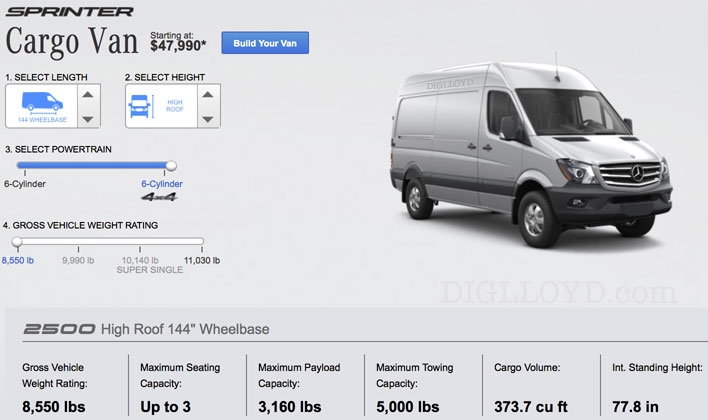
The Sprinter van is supposed to arrive in late July; I have a deposit on it and it is in transit. See the Sprinter van build page for details on what it has, as well as wheels and tires for offroading, more.

My plan then is to outfit the electrical and battery stuff, install a temporary table as a computer desk, implement the Yeti bed platform, then take it on a two week trip to confirm my assumptions about layout and storage. There may be some scheduling hiccups for battery delivery latency, and lead time to install the battery and electrical, but it will sort out. After that first trip, I'll schedule the rest of the upfit for later in the year (windows, venting fan, insulation and interior).

Mercedes Sprinter cargo van 4x4 HiRoof

diglloyd Mercedes Sprinter van layout schematic


Source: My Sprinter Mobile Photography Adventure Van Project

Sunday, July 9, 2017

Mobile Photography Studio: Professional Work with Common Gear

Mobile Photography Studio: Professional Work with Common Gear www.sleeklens.com

We have realised that all the articles we have written linked to our action field, mobile photography, had always started with a real fact; most of the people in the world have access to mobile phones and many of them want to get the greatest benefit they can of those terminal cameras.

The professionalisation of this type of photography nowadays is still a slow process. The half-inch format, as we call it in @fotoensayo, is the most useful camera format, but is also the one that many professionals less use in their work, even being below of some others you could think are being deprecated like the plates.

Beyond the inherent fear that we talked about in the article: the birth of the half-inch format, the reason for this is also the impossibility of migrating the workflow you get with a photographic camera to a mobile phone.

smartphone

We have seen cases of photographers who use their mobiles for doing street photography, author photography and even some graphic reporter. But the studios, and in general, all the types of photography that simply a photo montage (fashion, products, publicity) are the ones who have less explored this kind of support.

Being that said, we took the task of thinking what would be necessary to create a photo studio, with the intention of using mobile phones in it, and of course, getting satisfactory results.

In the first place you have to consider, that the characteristics for making this kind of space are the same that you think for the mobile phone you will use. You must think that most of the phones can be used in manual mode nowadays so it will function as a photographic camera would, except for the fact of the diminished capacity of noise reduction in high ISOs, a fixed diaphragm and the impossibility of being able to synchronise the flash with the obturation.

Therebefore, we must look after phones which diaphragm values are over 2.0, in this way we will guarantee a considerable light entrance; and if it is possible, look also that the dispositive can take DNG format photos, this will help at the moment of the revealing and finally, it must have a camera application that let you modify the ISO, shutter speed and white balance as minimum. Also, it will be appreciated if you can use focus in the manual mode, as you could find low lights situations that won't let you focus easily in automatic mode.

As for us, we use the LG L5, that has good performance in low light conditions and it also counts with two focal lenses; one of them is angular which makes work much easier in reduced spaces.

smartphone

Now that we have chosen the mobile phone, that, of course, it will always be the one you have in that moment, you can change it as long as it is of your interest, the next thing is the illumination.

The studio idea is that you can guarantee punctual light conditions, this is why we will look light sources that can be useful for this so we will only use continuous lights: As we already know, there are many different light types: tungsten, led, dichroic, in resistance…but the idea is to look after those who warm up as little as possible, having a power over to 100 W (remember that more power, more light intensity and hence less noise in the produced images) and amplitude in the light sources distribution.

About this last consideration, usually it is not taken into account by the photographers but when the light a very small point, it is hard to make it smooth and uniform. So then we recommend that if you are going to use small lights sources, use two with direction variations at least.

smartphone

You can find several options of lamps, tungsten light bulbs with their respective diffuser and base on the internet for less than 100 euros. Either way, there will always be the possibility of designing your own system according to your specific needs. In the past, we even use tablets and some other mobile phones as light sources for portraits and small scenes with very good results.

A relevant element at the moment of the acquisition of lights will be your diffuser. Mobile phones do not have a very wide dynamic range and the difference between light and shadows zones can be very notable with barely medium zones. There before, for having information about those zones, whenever is required the diffuser is fundamental.

With a couple of these dim lights, your mobile phone and a background of your choice you will have a studio for start making photos.

smartphone

After all, it may sound like a lot of work to do, but talking about quality your mobile phone photos will have a more elaborate aesthetics and as for the cost, there is nothing else to say, you will have a studio for a really low cost.

Then you can complement it with some other elements like additional lights, different backgrounds, some clothing, decoration objects, photographic printers for mobiles and anything else.

smartphone

Whether you are starting to consider the mobile phones as work tools as a photographer or you are just someone who wants to improve your mobile photos, remember that the base of working with this kind of support is the creativity, so go on building your mobile photography space and make your own images, as for us we will continue #fotoensayando

Rating: 0 based on 0 Ratings

The following two tabs change content below. Foto ensayo is the name given to the proyect of Diego Sanchez, a social communicator and journalist who was born in Marinilla (Colombia) in 1990.

He started his career as a reporter and graphic editor in "Contexto newspaper" and as a freelance photographer in the development of documentary products.

In 2013 he moved his residence to Seville, where studied travel journalism and started his collaboration with magazines like "Mas Viajes" from Spain and "NAO" from Mexico.

In 2015 he started a new stage in Barcelona, where he was part of the documentary Cities for Life, it maked for What's Up Doc and he develop stories for magazines "Viaje con Escalas" and "Enfoque Visual".

During this time his photographs were exhibited in countries like Colombia, Spain, Argentina, Mexico and the United States. Also, he has the opportunity to be part of publishing projects as "La Ruta del Condor", "Maguaré " and "Los viajes de Sancho".

Most popular posts in Jul


Source: Mobile Photography Studio: Professional Work with Common Gear

Saturday, July 8, 2017

Samsung to excite mobile photographers with newest in J series

The newest Samsung Galaxy J7 Pro is set to be released this month of July. Philstar.com/EC Toledo

MANILA, Philippines — Aperture, ISO, shutter speed, exposure and focus. These are the five key elements in cameras that both professional and amateur photographers master to produce good images.

By combining the right ISO with correct shutter speed, they can capture landscapes in low-light conditions. By adjusting the aperture and exposure, they can neutralize harsh lighting. By choosing a focal point, they can highlight an important subject amidst a broad background.

Only photographers who prefer to shoot in manual mode using their bulky and heavy DSLRs are able to do all those. But not anymore.

Today, the possibilities in photography are becoming endless thanks to latest smartphones that now feature manual camera modes. This has given rise to so-called "mobile photography."

Rulers of 'middle' market

In the mid-range smartphone market, several brands are creating a buzz among photography enthusiasts.

You might be familiar with Samsung as a company that has been in the business of pushing the envelope in mobile photography, especially in low-light photography, starting off with its flagship release last year with the Galaxy S7's F/1.7 aperture camera lens.

Lifestyle Feature ( Article MRec ), pagematch: 1, sectionmatch:

A lot of different smartphone brands followed suit in bringing in more to the table to get those great photos. One of them is Oppo, a global smartphone maker with Chinese roots. In May, it has released the Oppo F3 with outstanding cameras. On its rear, its 13-megapixel and F/2.2-aperture lens shoots in Expert Mode with autobalance, shutter speed, ISO, focus and raw settings. Up front, its dual lens enables a wide angle perfect for groufies. 

But while this sounds very promising, Korea's smartphone giant is set to release a contender that will stir up the competition in the Philippines this month. Now, Samsung goes beyond just the flagship line, and is now extending this expertise on mobile photography (especially with to its mid-range line up). 

This is the Galaxy J7 Pro, with its 13-megapixel rear camera carries much larger aperture at F/1.7, which is already equivalent to most DSLR lenses. This is great, because a larger aperture means having the capability to capture more light for your photos.

It also shoots in different modes, namely Auto, Night, Panorama, Continuous, HDR, Sports, Sound & Shot, and of course, Pro—or manual. 

While the rear camera is the main strength for Samsung's newest mid-range smartphone, its selfie camera is still a force to reckon. Its 13-megapixel, F/1.9-aperture lens is almost equivalent to that of the rear in terms of capturing more light. Moreover, it also comes with an LED flash, on top of built in filters. 

Effortless shooting at night

Philstar.com has put both the Oppo F3's and the Galaxy J7 Pro's rear cameras to test and what better way to do it than shooting at night. The Bonifacio Global City in Taguig has served as our picturesque setting with its rising skyscrapers and posh lifestyle hubs.

First up was the Oppo F3, in which we first relied on Expert Mode. Our preferred setting was 800 ISO (max), 1/5-second shutter speed. We also adjusted brightness depending on the lighting with the exposure button. The results are images with sharp contrast between highlights and shadows. 

Then we tested GalaxyJ7 Pro's Night Mode, easily accessible by swiping the screen to the right after launching the camera. Lo and behold, the quality we produced using the Galaxy J7 Pro's auto night setting is at par with the Oppo F3's manual setting. This we attribute to the former's superior F/1.7, which in photography essence, absorbs all available light in the surrounding—be it daytime or nighttime.

The Night Mode thus allows users to shoot pictures effortlessly at night without having to think about the right ISO, exposure, and shutter speed settings. For this, we give Samsung's Galaxy J7 Pro a two thumbs up.

Still at Bonifacio Global City, we also shot in Auto Mode for both smartphones. Without fixing theOppo F3's camera settings, its photos came out darker and unfortunately, paler and grainier. Whereas the Galaxy J7 Pro's images in Auto Mode remained crisper and brighter with warmer tones. 

Other lighting conditions

We then gave both smartphones second tries in two low-lighted settings: an indoor art gallery and a dim office.

In both instances, we experienced the prior issues we had with the Oppo F3's rear camera even if we adjusted its ISO settings from 100 to 400 to 800. This is true in the office photos we produced. Yes, there were changes in brightness but overall quality was dull. 

The Galaxy J7 Pro, on the otherhand, delivered clearer images as proven by the vivid colors of the paintings in the gallery. We also adjusted its ISO from 100 to 400 and 800 in the office. The transformation of the photos convinced not only in brightness but also in color and clarity.

However, we must admit that the Oppo F3 had wider lens for better and bigger angles. We particularly loved this during daytime when light is abundant.

Still, we could not help but notice how the Galaxy J7 Pro's images were higher in resolution resulting to better picture quality—an indicator on how Samsung continues to dominate the mobile arena for years. 

Which is better?

After dissecting both the smartphones' cameras, let's now establish how the Samsung Galaxy J7 Pro is further poised to challenge Oppo F3.

As the latest in Samsung's mid-range Galaxy J series, the Galaxy J7 Pro has some pretty neat upgrades. It now runs on the latest Android 7.0 (Nougat) operating system and on Octacore 1.6GHz processor.

And although released only months from each other, the Galaxy J7 Pro is more advanced already. The Oppo F3's internal specifications include the Android 6.0 (Marshmallow) and an Octacore 1.5GHz processor.

Because it's a powerful smartphone, the Galaxy J7 Pro offers vibrant viewing experience with the Full HD Super AMOLED screen (resolution up to 1920 x 1080 pixels). We watched movies from VOD providers, as well as played mobile games and we loved what we saw in its 5.5-inch display. Also, it's LTE-powered, so browsing and playing will never be interrupted from lags—as long as you have good internet provider.

Aesthetics-wise, the Galaxy J7 Pro comes in a full metal unibody that is smooth to touch. When the screen is off, the Always on Display feature (which used to be an exclusive feature limited to flagship smartphones) shows the time and notifications around the clock.

To further entice mobile photographers, the Galaxy J7 Pro gives them a 3GB ram and 32GB memory, which can be expanded to 256GB with a micro SD card.

More importantly, the Galaxy J7 Pro's 3,600 mAh battery—slightly higher compared to Oppo F3's 3200 mAh battery—will last even after a full day of usage.

We also suggest to maximize Samsung's tried and tested security features like the latest Finger Scanner.

So which is better between the Galaxy J7 Pro and Oppo F3?

It still boils down to the user's perspective. Will you stick to Samsung, which has already gained the trust of millions of people around the globe, or will you try why Oppo is fast gaining a solid foothold in the industry?


Source: Samsung to excite mobile photographers with newest in J series

Friday, July 7, 2017

6 Reasons Why Your Mobile Phone is a Great Photographic Tool

6 Reasons Why Your Mobile Phone is a Great Photographic Tool www.sleeklens.com

As a specialist brand in the mobile phone use as professional photographic work tools, one of the most frequent questions that we get in our conferences and presentations is: why should we use this kind of dispositive and not others?

Excluding discussion, in which in a derisory from the idea of some supports being better than others can be defended, we have raised the idea that any support that allows translating the light (including not so frequent tools as scanners, photocopiers, etc) can be great for the photographic register.

Therebefore, we have listed 10 main reasons that have made the mobile phone great photographic tools, leaving aside the typical "..because is a camera you always carry on with you"

#1 – Low cost

On the contrary of the photography tools in the current market, mobile phones have quite affordable prices. Additionally, the fact of being day-to-day tools means that usually we already have some other mobile terminal in our homes.

But the low-cost issue is not just about the dispositive price, one of the things that imply more expenses for the photographers, is the equipment maintenance. Nowadays, a camera sensor cleaning can cost between 30 and 70 euro, besides the permanent wear of it. In the case of mobile phones, there are almost null maintenance costs, so the budget delivered to the client diminished, at least in this aspect.

iphone

#2 – You cannot be told that your work depends on the used equipment

Although it sounds as a joke and it is an underestimate idea, as time has passed, there are still a lot of people who think that a photographer's job depends on his camera. The equivalence of more lens is equal to better quality, does not applies to mobile phones. Some considered this as a disadvantage but in sales terms, showing that you can make creative images with a standard terminal, gives you an idea of the photographers capacity, and consequently, of their job.

#3 – Get in touch with the people

Truth to be said is that mobile phones have become so common that is natural to the eye among the people. Unlike a photographic camera, that it always be a pretty invasive tool; the mobile phone goes generally unnoticed. In consequence, the naturalness of the registered scene and a closer contact with the photographed person are visible.

Until recent times, quality was one of the most debated issues, referring to the use of mobile phones as professional tools. But with the dispositive camera systems advances, this is something from the past. Of course that if your intention is exposing your work with considerably extensions, it will be better to work with a camera that has a bigger sensor than the half-inched one. Often, photographers' work is printed in standard size magazine or web pages, so mobile phone gives the necessary conditions for an optimal visualisation in this cases.

phone

Furthermore, talking about extensions, having a little creativity and using several photos for their posterior union in a post-processed tool, you can get considerable sizes of extension. Take this just as an additional tip.

#4 – Web environment connectivity

This is, maybe, one of the essential characteristics of mobile phones and also what makes mobile photography different of any other photographic area. Is not just about the possibility of sharing real time produced images but, and even more important, this supports are provided with different services based on this characteristic.

Clearly, using marketing language, photography has become a red ocean full of competitively, low prices and each time more sporadic professionalisation process. In this case, mobile photography allows us to find blue oceans for taking advantages of the connectivity characteristic and offer different photographic services.

#5 – Attainment of new talents, the brand's interest

Commercially, photography has been attached in few brands that sell their equipment leaving the consumer with a very thick choice margin this has made that, speaking of contact and possible alliances, for some photographers the access to this brands become very difficult. On the other hand, mobile phones brands are a rising boom, in this sense, many of them provide mobile phones in a permanently way for testing, generating agreements and in most cases, developing new photographic systems in a no longer 6 months period. As a result, talking again about equipment, and also of the bases of direct contact with the interested brands, this brings an infinite number of options to photographer's access.

phone

#6 – Photographic process

Here, in Foto Ensayo, we won't stop remembering that the consecution process of the photos is one of the most important elements of making them. As photographers, at this point is where we nourished, learned and became better persons. In the mobile phone case, the fixed focal distance implies to be creative, allowing the permanent search of shapes, colours and frames in the photography process that will help in the technical and narrative development of our images.

On the whole, these are some reasons of why we started to develop a workflow in which you could use mobile phones as tools for the photographic register. So, now: who else is willing to take the challenge of using mobile phones as a photographic tool? Waiting for your comments, we will continue #fotoensayando.

Rating: 0 based on 0 Ratings

The following two tabs change content below.

Pia Lopez is a self-taught photographer, architecture student and ArchViz artist. As Editor in Chief of Sleeklens.com, technology and art are two of her passions, which take active part in her professional training. Being an authentic Montevidean, travelling is daily routine; enjoying both the green meadows and urban surroundings as well as the beautiful beaches that are so characteristic in Uruguay's landscape.

Most popular posts in Jul


Source: 6 Reasons Why Your Mobile Phone is a Great Photographic Tool