Thursday, March 16, 2017

Mobile Photography/Art Pic of the Day (556) via Instagram TheAppWhisperer

Here's day five hundred and fifty six of our mobile photography/art Pic of the Day section via Instagram. Each day we will be selecting one image a day for our Pic of the Day section on Instagram with this hashtag – #theappwhisperer.

To ensure your image receives our attention, please upload it to Instagram with this hashtag – #theappwhisperer

Today, we congratulate @imagomimago – Mimi Svanberg, with this stunning image.

Please view more of her stunning images here.

[Please visit our Artist Directory and find out how we can add you too!

Donating = Loving = TheAppWhisperer.com

Bringing you (ad-free) TheAppWhisperer.com takes hundreds of hours each month and hundreds of pounds to sustain. If you find any joy and stimulation here, please consider becoming a Supporting Member with a recurring monthly donation of your choosing, or possibly making a one-time donation. This is a not for profit website and one that can only grow with your support.

Tweet
Source: Mobile Photography/Art Pic of the Day (556) via Instagram TheAppWhisperer

Wednesday, March 15, 2017

Gekkopod Mobile Smartphone Mount, Save 20%

Gekkopod Mobile Smartphone Mount

Smartphone photographers will love our great deal on the Gekkopod Mobile Smartphone Mount in the Geeky Gadgets Deals store today.

The Gekkopod Mobile Smartphone Mount is available with 20% off and prices start at $19.95 with a number of options to choose from.

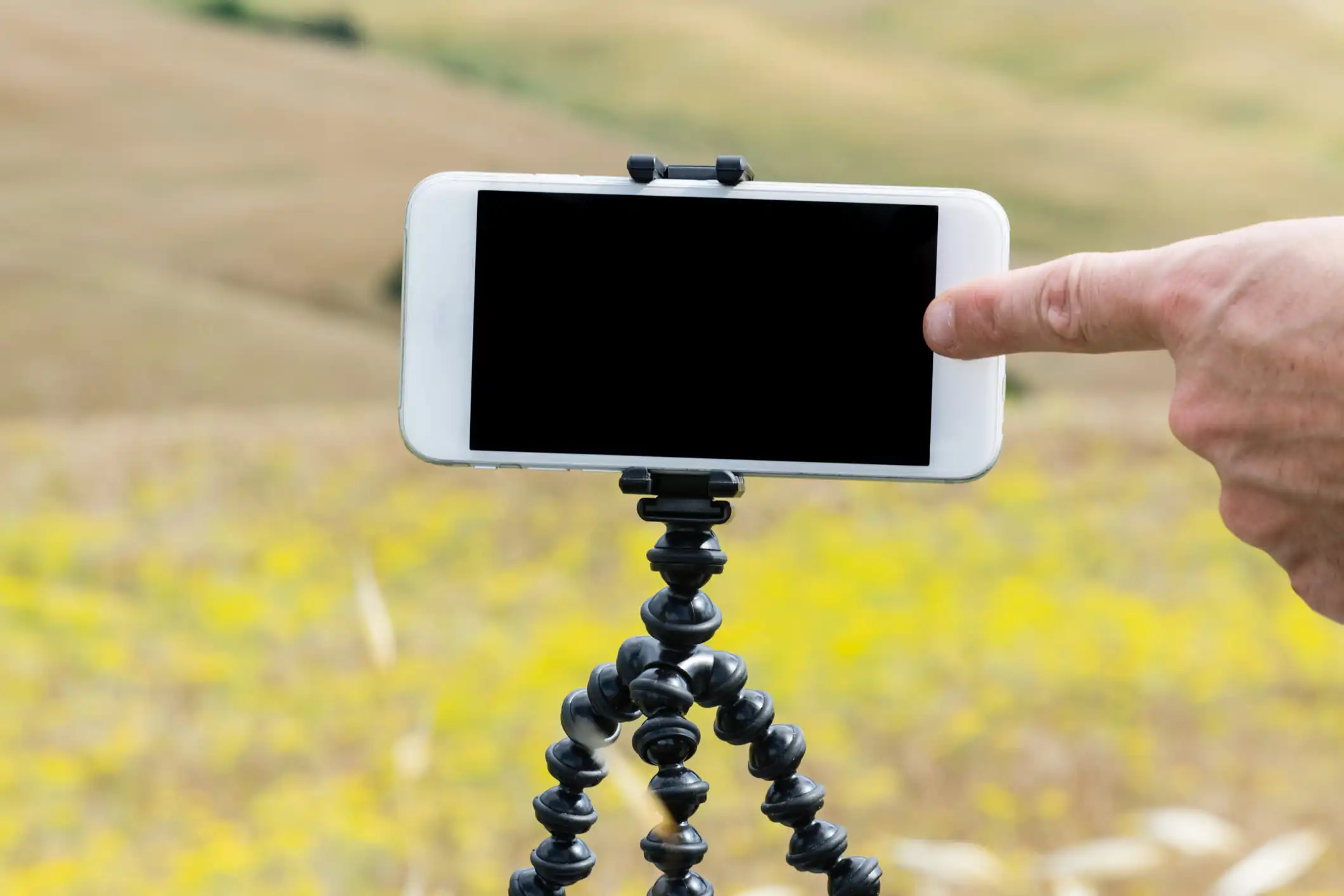
When it comes to mobile photography, you won't find a smarter, more useful tool than the Gekkopod. The lightest and most versatile smartphone (and GoPro) mount on the market, Gekkopod blends seamlessly with an environment to give you a steady shot every time – even on action shots. Perch it on a rock or tree, hook it on your bike, or treat it as a glorified selfie stick, the possibilities are virtually endless.
  • Compatible w/ nearly all smartphones & GoPros
  • Rugged, waterproof design is intended survive even the most aggressive everyday use
  • Portable design can be used to secure your camera in your bag
  • Usable as a car mount or iPad stand
  • You can find out more details about the Gekkopod Mobile Smartphone Mount over at our deals store at the link below.

    Get this deal>

    Filed Under: Deals

    Popular Geeky Gadgets Deals


    Source: Gekkopod Mobile Smartphone Mount, Save 20%

    Tuesday, March 14, 2017

    Mobile Photography Interview – A Day in the Life of Ioannis Sidiropoulos from Greece

    Welcome to our very exciting interview column on theappwhisperer.com. This section entitled "A Day in the Life of…" is where we take a look at some hugely influential, interesting, newcomers as well as accomplished individuals in the mobile photography and art world… people that we think you will love to learn more about. This is our 134th interview of the series. If you have missed our previous interviews, please go here.

    Today we are featuring a highly accomplished mobile artist and photographer, Ioannis Sidiropoulos from Greece. Ioannis describes himself and his work as 'a Greek born amateur artist, a dreamer, a romantic insane who is desperately seeking tranquility in sinister worlds and circumstances. His art is his way out of this hypocrisy of people and a way to cast demons out'. You will love this!

    If you would like to take part in our A Day in the Life interview series, please send an email to myself at Joanne@theappwhisperer.com and I will get back to you.

    Ioannis Sidiropoulos

    Contact Details:

    Facebook

    Flickr

    Instagram

    Self Portrait ©Ioannis Sidiropoulos

    Let's start at the beginning of the day, how does your day start?

    My day starts always at 6;30 every day … starting it with a daily walk and photos for my private collection, photos of nature mostly ..the colours are so inspiring even the sounds of nature for my work.

    'Black Rose' ©Ioannis Sidiropoulos

    Do you like to head out and take photographs early on?

    There's no time for me to take photos, what keeps my eyes more than 15 seconds for me is a subject for a photo.

    'Butterfly' ©Ioannis Sidiropoulos

    How did the transition from traditional artist to mobile artist develop?

    There's no transition. I never was a traditional photographer, at least I never considered myself as one of them. I became interested in taking pictures when I had my first iPhone because it was equipped with a good camera.

    'Colour of your body's Perfume' ©Ioannis Sidiropoulos

    Do you like to download new mobile photography and/or art apps regularly?

    Yes, I do, I always search and read reviews for new applications for my device. I have apps that I've paid for and i used them only one time just to use a tool that they have. It's something that i do regularly discovering new techniques.

    'Crashing Forward' ©Ioannis Sidiropoulos

    What is your preferred platform, Apple iOS, Android, Windows?

    Apple iOS is the platform that I use.

    'Dark Delight' ©Ioannis Sidiropoulos

    Would you consider changing platforms and why?

    No, I wouldn't because I'm used to the apps supported by Apple and I don't have the time to get myself used to android or windows apps, not that i don't want it.

    'Depression' ©Ioannis Sidiropoulos

    How often do you update your existing apps? What are your current favorites and what features do you look for in a new app?

    Daily, I check for updates so I won't miss any improvements to the apps that I use to make my work more easier. Artrage is my favorite because it allows me to paint on the photo to achieve the effect I desire and of course the app filterstormPro, Stackables and leonardo are good too .

    'Dystopia' ©Ioannis Sidiropoulos

    Where's your favourite place in the world for a shoot and why?

    I love to shoot in a room with good lighting because room light always gives me the mood that i want for my photos. Not that I'm not interested shooting in nature.

    'Kiss me… your tongue is like poison' ©Ioannis Sidiropoulos

    Where do you like to upload your photographs to  Flickr, Instagram etc?

    Flickr for me is the best platform for my work more serious art not a playground like instagram  … to viewbug and Facebook … and to Instagram of course but only for my history of my work. Instagram even if is the platform I started with it is not a serious platform for me .

    'Life soars shatters the quiet' ©Ioannis Sidiropoulos

    Do you use your mobile phone everyday to take images?

    Not just every day but all day long and not just with my iPhone.

    'Meds' ©Ioannis Sidiropoulos

    Do you like to use external hardware products with your mobile device for image and video capturing, such as lenses, tripods, external storage and battery packs?

    No. I don't use any of those things for my mobile device.

    'Observed over expected mortality' ©Ioannis Sidiropoulos

    Do you edit images on your mobile devices or do you prefer to use a desktop or laptop computer?

    I edit all my images on my iPad but I've made wonderful things with my iPhone 4.and iPhone 5s.

    'Ode on Dreams' ©Ioannis Sidiropoulos

    Where do you envisage your mobile photography passion will take you? Have you been involved with exhibitions etc.

    To be honest, I never imagined myself going this far with my passion for mobile photography. I just enjoy editing as a way to express my creative side. I won American Aperture Awards 2013 for category mobile photography-people/portraits and I got the winning pieces exhibited in the US and Australia. Honorable mentioned twice to the international photography competition Monochrome Photography Awards 2016 to the categories fine art and portraits.

    -Winner second place (Silver medal) to 37th Zagreb Salon international photography competition, one of the oldest international photo contests since 1910 with my photo there for 15 days to the exhibition.

    -Finalist and honorable mentioned to the Eros award 2016 international photography competition (4 photos).

    -Grand Winner to TZIPAC GopixExposee 2016 competition to the category fine art and open with two more entries to the finals .

    -Honorable mentioned to the 3rd Annual Mobile photography awards 2013 to the category Digital Fine Art.

    I am also selling my work on two sites:

    http://artcapitol.myshopify.com/collections/ioannis-sidiropoulos

    and here in case someone is interested of purchasing my work

    https://society6.com/devine1225aaa

    'Qarinah' ©Ioannis Sidiropoulos

    Where do you see the future of mobile photography?

    I think mobile photography has a very bright future as mobile phone technology is getting savvier by the second. We are talking about a revolution to photography !!!

    'Renaissance of an eroded soul' ©Ioannis Sidiropoulos

    What do you think is the most popular area of mobile photography?

    The categories you mean? Well if I guess, it is whatever makes the photographers eyes happy, even if this is street photography or documentary or fine art photography.

    'Savage' ©Ioannis Sidiropoulos

    Do you think it is country Specific, are some nations more clued up?

    So far mobile photography contests that I had the opportunity to join were held in the USA, but I think other countries are lining up too because the popularity of mobile photography is undeniably worldwide.

    'Self Inflicted' ©Ioannis Sidiropoulos

    If you could select a specification for a smartphone, what features would you select, photographically speaking?

    Good quality camera and easy to use apps that are compatible to the device of course.

    'Solitude' ©Ioannis Sidiropoulos

    What do you think of Joanne and theappwhisperer.com?

    For sure Joanne is a very special person because she helps new talents by spreading their amazing work to the world. As for theappwhisperer.com,  I think this community will take mobile photography to the next level as here we are introduced to people who inspire us and they are willing to share their techniques to the community.

    Donating = Loving = TheAppWhisperer.com

    Bringing you (ad-free) TheAppWhisperer.com takes hundreds of hours each month and hundreds of pounds to sustain. If you find any joy and stimulation here, please consider becoming a Supporting Member with a recurring monthly donation of your choosing, or possibly making a one-time donation. This is a not for profit website and one that can only grow with your support.

    'Tears that became blood of sorrow' ©Ioannis Sidiropoulos Tweet
    Source: Mobile Photography Interview – A Day in the Life of Ioannis Sidiropoulos from Greece

    Monday, March 13, 2017

    ABDZ Photo Challenge: #abdz_nightphoto

    People treat photo post production differently, some think it's a must, others consider it as something weird, and unnecessary. Actually postproduction is some sort of digital where enthusiasts or professional can show their vision of an event/landscape/people, giving it some unique, breathtaking or sometimes unnatural look. Looks like some people do not accept the quality of photos they've taken with their costly cameras. So let's see when people became so obsessed with photo editing techniques.


    Source: ABDZ Photo Challenge: #abdz_nightphoto

    Sunday, March 12, 2017

    50 Everyday Moments You Need to Photograph

    It truly is the little things that matter most. Capture the magical, everyday moments with inspiration from our 50 Everyday Moments You need to Photograph checklist.

    It truly is the little things that matter most. Capture the magical, everyday moments with help from our printable checklist of 50 Everyday Moments You need to Photograph.

    Do you ever wonder what memories your children will treasure most as they move into adulthood?  I'm always surprised by the details my children recall.

    It's not the elaborately planned birthday party or the fortune we spent at the trampoline park that they remember. It's the little moments that stay with them.

    If you think back to your own childhood what moments stand out? Maybe it was the time you stayed up well past bedtime snuggled in your parents' bed, reading the last chapter in your favorite book. Or the moment Mom got teary-eyed and pulled you close when you came out of the fitting room to model a dress—"the one" for prom. Or maybe you remember holding your dad's hand tightly while admiring the staggering view at the end of a challenging hike.

    Celebrating Every Day Moments 

    These seemingly small interactions are more meaningful than we realize and creating space in our lives so these moments don't pass us by is critical.

    The unplanned moments that happen in the middle of our kitchens or our backyards – imperfect as they are – these are the memories I want to hold on to.

    Taking the time to photograph these unassuming moments is  important to me. The big milestones and the posed family pictures are great, but at the heart of why I photograph my children is the hope that these oh-so-ordinary, yet incredibly magical pieces of their lives will be remembered.

    It truly is the little things that matter most. Capture the magical, everyday moments with help from our printable checklist of 50 Everyday Moments You need to Photograph.

    50 Everyday Moments You need to Photograph

    To inspire you to capture more everyday moments I've complied this checklist for you. It's filled with 50 photo ideas and photography prompts that are sure to get the ideas spinning and take notice of the little details that are an important part of your family's story.

    If you've been a follower of Simple as That for any amount of time you'll know how much I enjoy creating printable photo checklists just like this one. These lists serve as inspiration to help you get the creative juice flowing while capturing meaningful images of every aspect of life. I have photo checklists available for each season, for your next travel adventure, motherhood and more!

    Beyond Snapshots: Mastering Mobile Photography

    When it comes to capturing everyday moments it really is about being aware and being ready when these moments present themselves in the midst of daily living.

    The best camera is the one you have with you. — Chase Jarvis

    I couldn't say it more simply than that. You don't need an expensive camera to capture a beautiful, meaningful photo. Some of my most treasured images have been caught with nothing more than my phone because it's so readily available.

    Check out my series on mastering mobile photography if you want to take your phone photos to the next level.

    If you enjoyed this post you might also like…

    Rebecca Cooper is a 38-year-old wife and mother of four from Alberta, Canada. As a photographer, crafter, author, and blogger, she finds joy and fulfillment in celebrating everyday moments. She loves to read and eat chocolate, and is a firm believer in afternoon naps. Rebecca shares her family's adventures, photo tips, simple craft projects + more right here at Simple as That.

    @rebecca_simpleasthat on Instagram
    Source: 50 Everyday Moments You Need to Photograph

    Saturday, March 11, 2017

    Mobile Photography Mistakes You Need to Avoid at All Costs

    Don't miss stories. Follow PhotographyTalk

    iStock 646820118 image

    There is no doubt that the cameras on today's phones are a massive step up from what they were even five years ago.

    It's made mobile photography something that anyone can undertake, with easy access to a camera and a whole slew of apps that make taking and editing photos a much easier and faster process.

    But don't think that using your smartphone as a camera means that there aren't a few pitfalls to avoid.

    Just like you need to take some precautions with your regular camera, you need to be careful how you use your smartphone camera as well. Otherwise, you could end up with photos that aren't quite up to your liking.

    Consider the following mistakes as crucial to avoid if you want to maximize the impact of your smartphone photos.

    Mistake #1: Using the Zoom

    iStock 621496962 image

    When you take photos with a traditional camera like a DSLR, the lens attached to it physically moves to zoom in on the subject. Even point and shoot cameras have an optical zoom that makes the lens longer such that you can get closer to the action.

    Your smartphone, however, does not have a lens that zooms in. To get a zoom effect, they have a digital zoom that you can use by pinching your fingers on the phone's screen and moving your fingers outward, thereby zooming in on the subject.

    The problem with digital zoom is that you aren't actually zooming in at all.

    Instead, digital zoom should be characterized as cropping. Essentially, all the phone does is take the input from your fingers to crop the image before it's actually taken.

    And if you've ever used digital zoom on your phone, you know why it's a mistake.

    The quality of the resulting image is terrible, with a pixelated look that will ruin the shot, no matter how great its other features are.

    To get around this, you can do one of two things that will get you a better final result. First, you can move closer to the subject, thereby making it appear larger in the frame. Of course, getting closer isn't always an option.

    In that case, the other thing you can do is simply wait to crop the photo in post-processing. Digital zoom is just cropping anyway, so why not wait until you process the image, that way you have all the pixels of the original image to work with.

    Mistake #2: Not Cleaning the Lens

    iStock 183820616 image

    I know that I'm guilty of this more than any other photography mistake.

    Part of the reason is that it's just so convenient to take out your phone and fire off a few shots - often, I get in a hurry to get "the shot" and neglect to clean the lens.

    I'd never do that with my "real" camera, so it's frustrating that I forget to do that with my phone.

    I think part of the reason I forget is that it's hard to see any dust specs or other undesirable contaminants when I review the images on my phone screen.

    After all, my screen isn't exactly clean either. Who's is?

    Nevertheless, just like you don't want dust and smudges ruining the photos you take with your DSLR or mirrorless camera, you don't want those contaminants ruining an otherwise beautiful shot you get with your smartphone.

     image Something that helps resolve this issue (and the zooming mistake discussed earlier) is to use an aftermarket smartphone lens.

    Hear me out on this...

    When I use my big cameras, I make a habit of giving the front element a good wipe down when I mount the lens. It's second nature to me now so I don't even think about it anymore.

    By using an add-on lens like the Sirui 60mm Portrait Lens, I follow the same routine - I mount it to my phone and clean the front element to ensure I've got a crystal clear window to the world, just like I do with my big cameras.

    There's just something about having a lens in your hand with some substance to it that triggers that muscle memory to grab my lens cloth and make sure the glass is spotless.

    Picture image Taken with a built-in smartphone lens

    Picture image Taken with a Sirui 60mm Portrait Lens

    What's more, since the Sirui portrait lens is 60mm, you can get closer photos without having to rely on your phone's terrible digital zoom. Just look at the two photos above to see just what a difference it makes having an add-on lens to get you closer to the action.

    You can also see how the Sirui lens gives you excellent color rendition and sharpness - which isn't something all aftermarket smartphone lenses can claim.

    In fact, this lens has 4K professional imaging quality with reduced vignetting and distortion, as well as a multilayer anti-reflection coating to boot.

    That means you get sharp, bright, color-accurate images, assuming you remember to clean your lens before each use! Plus, Sirui's lenses aren't just well made, but they are also budget-friendly.

    It's hard to beat that!

    Mistake #3: Going Without a Tripod

    iStock 622993794 image

    A lot of people (myself included) don't typically use a tripod with their smartphone.

    When you think about it, it kind of goes against what using a smartphone for photography is all about - shooting fast and quick without carrying around a bunch of accessories.

    But just like with any camera, smartphones are susceptible to camera shake, and much like you don't want to ruin your shots by using digital zoom, you also don't want to ruin them by having blurry photos.

    You can find tripod attachments for virtually any kind of phone these days that make them compatible with the tripod you already have.

    If you don't have a tripod and don't want to invest in a full-sized model, there's lots of choices that work great with smartphones (and larger cameras, too) like a HandlePod or GorillaPod. See THiNK Media TV's video below for a rundown of some other top-notch smartphone tripod options:

    Aside from giving your smartphone a more stable base to get sharp still photos, a smartphone tripod will also help you expand your creative pursuits into things like long exposure photography and time-lapse videos, both of which can be done right from your phone, and depending on the model you have, might not even require that you download an app.

    Preventing yourself from enjoying all the different avenues of photography you can pursue with a tripod-mounted smartphone is a huge mistake, especially considering how little these tripod alternatives cost.

    In the end, we all want to take photos that we're proud of. That's true whether we use a smartphone or a full frame DSLR.

    If you want to improve the quality of your photos, it's a matter of avoiding your phone's zoom feature, getting outfitted with a high-quality aftermarket lens, and getting a tripod to give your phone a stable base from which to work.

    It's really that simple!

    We Recommend

    17 Photos That are Guaranteed to Light Up ...

    9 Incredible Images to Get Your Creative ...

    Inspirational Monday: Photographing Pairs ...

    Mobile Photography 101: Introduction to ...


    Source: Mobile Photography Mistakes You Need to Avoid at All Costs

    Friday, March 10, 2017

    VSCO adds GIFs, a new blocking feature, and more

    VSCO, a mobile photography app similar to Instagram, has announced an update that brings new features, including support for GIFs. VSCO calls these 'animated images' and 'DSCOs,' and they can be made directly within the app, where they can also be shared. The app is also making it easier to curate one's social experience by introducing a new blocking feature to cut off certain users.

    The DSCOs are captured as small video clips, essentially, that are then edited within the app, where they're then posted. This is done by switching to 'DSCO' within the VSCO app, then tapping and holding the rainbow circle to record a clip. Users can swipe on the screen to choose a preset for the clip, then upload it to post it to the service.

    As for the blocking feature, VSCO now enables users to keep other users from accessing them through the service. To block someone, a user needs to go to that user's profile and click the ellipses menu button. In that menu, choose 'Block.' Once a user is blocked, that person won't be able to interact with you in any way, though content is still public.

    Finally, VSCO has added the ability to 'favorite' an image, which notifies only the image's poster about your feelings toward their content. This is a way for photographers to know that others appreciate their content, but it doesn't take away from the service's general lack of public follower metrics.

    SOURCE: VSCO


    Source: VSCO adds GIFs, a new blocking feature, and more